Tag: flashcards app

  • Learning Italian – how to create your own flashcards in ChatGPT for learning Italian – various proficiency levels and different ways to study with flashcards in the mobile app 👇

    Learning Italian – how to create your own flashcards in ChatGPT for learning Italian – various proficiency levels and different ways to study with flashcards in the mobile app 👇

    📋 List of example topics + sample prompts for ChatGPT to generate your own flashcards for learning Italian.

    🧠🎧 Words and their translations
    Prompt:
    Generate 30 flashcards in the format: Italian – English
    Topic: Basic words and their translations
    Level: A1


    🧠🎧 Everyday phrases and short dialogues
    Prompt:
    Generate 25 flashcards in the format: Italian – English
    Topic: Everyday phrases and short dialogues
    Level: A2


    🧠 Grammar (tenses, structures, moods, fill-in-the-blank sentences)
    Prompt:
    Generate 20 flashcards in the format: Italian – English
    Topic: Example sentences for practicing passato prossimo (complete sentences)
    Level: B1


    🧠 Grammar – fill-in-the-blank sentences
    Prompt:
    Generate 20 flashcards in the format: Italian (sentence with a blank) – English (complete sentence)
    Topic: Verb essere in passato prossimo tense
    Level: A2
    Example format:
    Sono ___ a casa ieri. – Sono stato a casa ieri.


    🧠 Irregular verbs
    Prompt:
    Generate 30 flashcards in the format: Italian – English
    Topic: Conjugation and usage of irregular verbs (essere, avere, andare, fare) in example sentences
    Level: A2


    🧠 Prepositions and fixed phrases
    Prompt:
    Generate 25 flashcards in the format: Italian – English
    Topic: Prepositions and fixed expressions (e.g. a casa, in città, con gli amici)
    Level: A2


    🧠 Idioms and collocations
    Prompt:
    Generate 20 flashcards in the format: Italian – English
    Topic: Idioms and collocations used in everyday speech
    Level: B2


    🧠🎧 Questions and answers
    Prompt:
    Generate 20 flashcards in the format: Italian – English
    Topic: Questions and answers in Italian (everyday situations)
    Level: A1


    🎧 Specialized vocabulary and expressions
    Prompt:
    Generate 25 flashcards in the format: Italian – English
    Topic: Medical vocabulary and phrases
    Level: B1


    🎧 Example usage in sentences
    Prompt:
    Generate 20 flashcards in the format: Italian – English
    Topic: Example uses of the word lavorare in different contexts
    Level: B1


    🧠 Synonyms and antonyms
    Prompt:
    Generate 20 flashcards in the format: Italian – English
    Topic: Synonyms and antonyms (e.g. veloce ↔ lento, felice ↔ triste)
    Level: B1


    🧠🎧 Thematic sets by level
    Prompt:
    Generate 25 flashcards in the format: Italian – English
    Topic: “Shopping” – vocabulary and phrases
    Level: A1


    🧠 Grammar – fill-in-the-blank sentences (missing word on the back)
    Prompt:
    Generate 20 flashcards in the format:
    Italian (complete sentence with a blank “___”) – missing word in Italian
    Topic: Verb essere in passato prossimo tense
    Level: A2
    Example format:
    Ieri ___ molto felice. – ero
    Siamo ___ in Italia l’anno scorso. – stati

    How to Create Your Own Flashcards Using Artificial Intelligence – Using ChatGPT as an Example, from YouTube Videos, Documents, Photos, and Notes. 👇👇👇👇👇👇

    https://blog.notifyword.com/blog/2025/12/30/chatgpt-flashcards-from-videos-images-notes-for-active-and-passive-learning-in-mobile app/
    Learn Italian when car driving mobile app Flashcards App

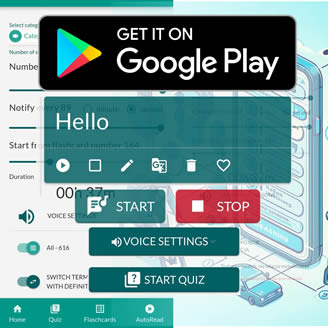
    After importing flashcards into the mobile app NotifyWord, you can learn Italian in different ways:

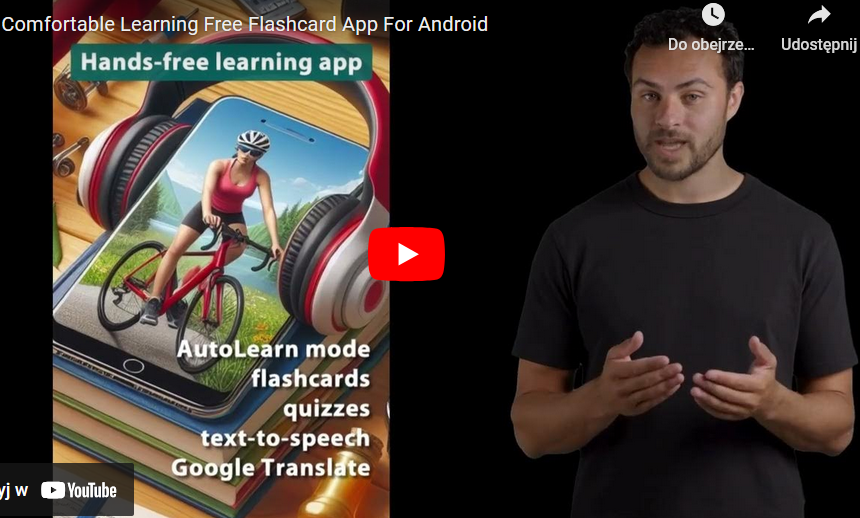
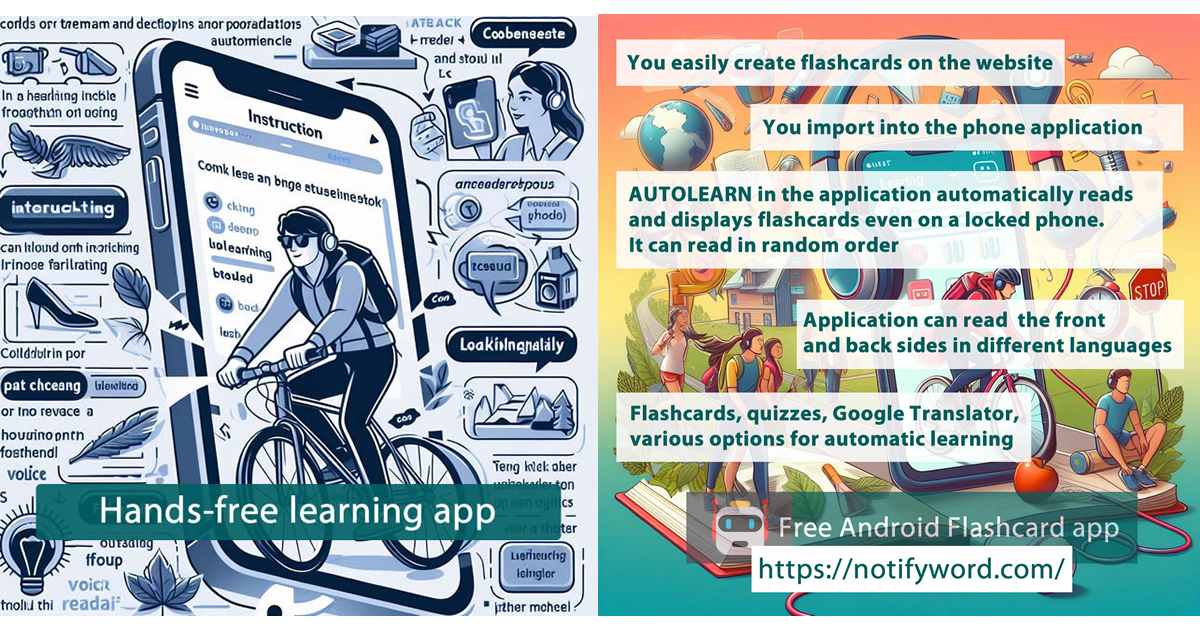
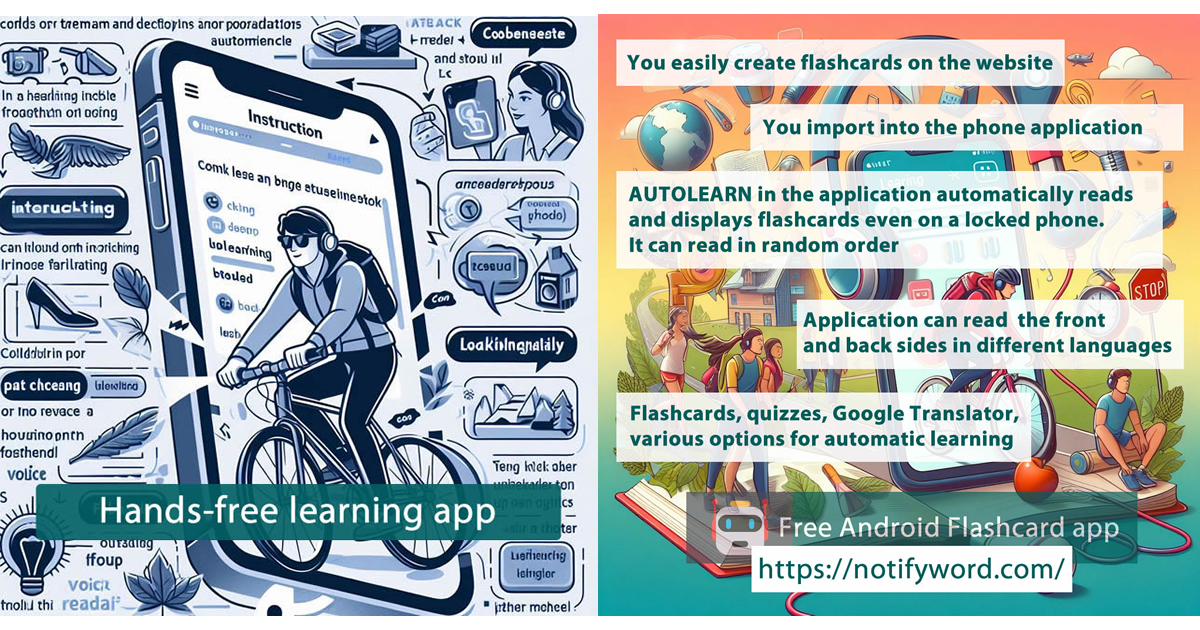
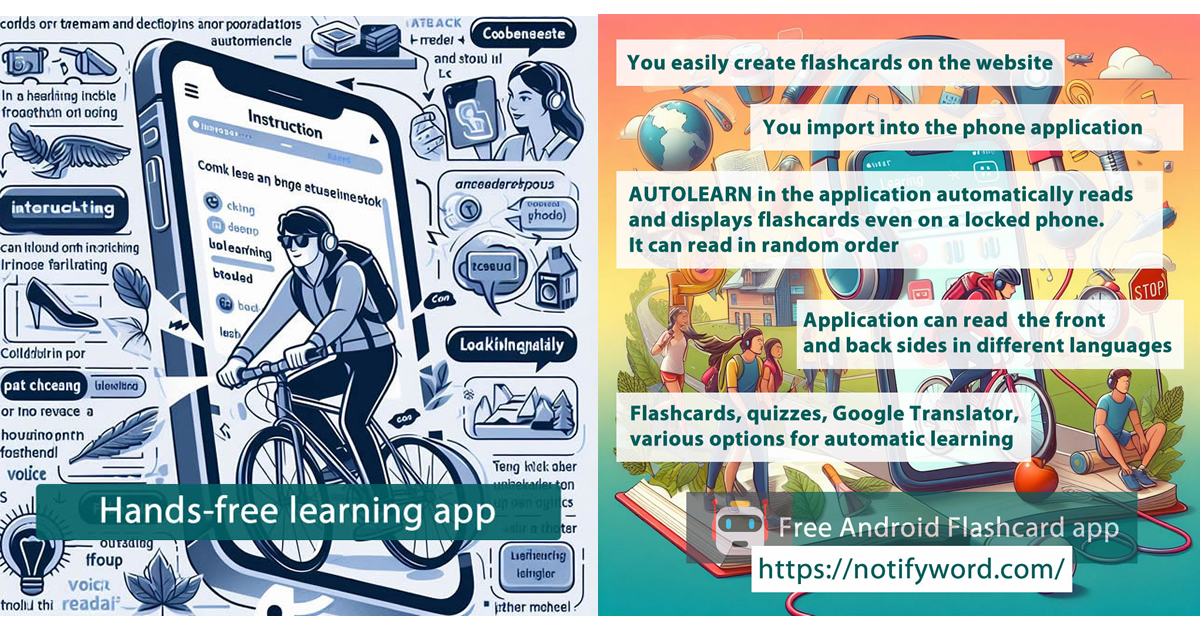
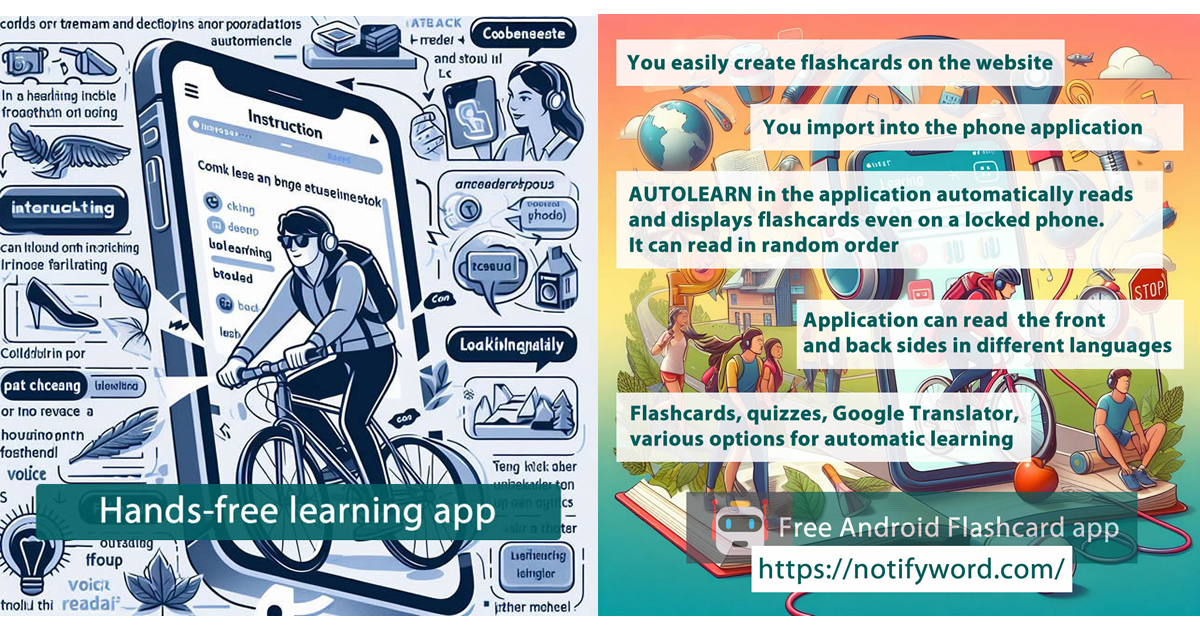
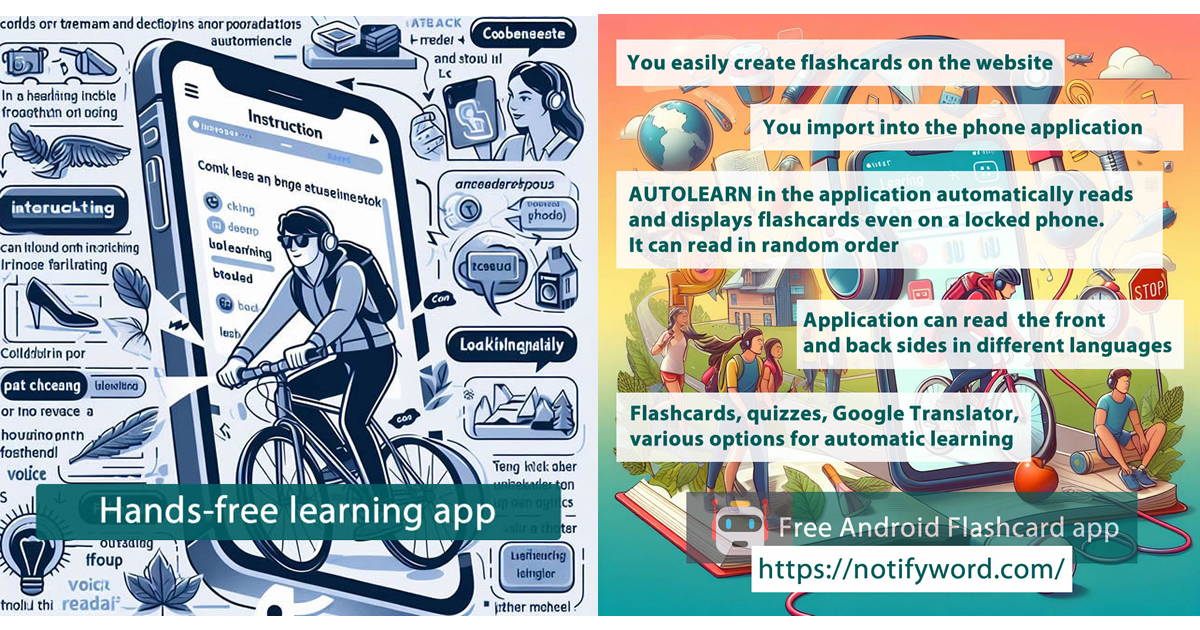
    👉 AUTOLEARN – passive mode – works without touching your phone, firing flashcards straight to your ears 🎧, eyes 👁️, brain 🧠, and memory 💾.
    👉 Quizzes – active mode – require interaction.
    👉 Interactive Flashcards – multiple browsing options, mark favorites or learned items, use Google Translator, text-to-speech (TTS), and choose languages and voices for the front and back of your cards.

    🔎 Legend:

    🧠 Active Learning – flashcards ideal for quizzes, tests, and recall practice. They help strengthen memory, associations, and answer formulation.

    🎧 Passive Learning – flashcards for listening and quick viewing. The app reads them aloud and displays them automatically. Perfect for immersing yourself in a language and reinforcing knowledge without active effort.

    📲 You’ll find the link to the mobile app NotifyWord at 👉 NotifyWord.com

    💡 Flashcards are small cards (physical or digital) used for learning and memorization. One side usually contains a question, word, or concept, and the other side holds the answer, definition, or translation. They’re widely used for learning foreign languages, terminology, historical dates, and other knowledge that requires memorization. Flashcards are popular because they enable effective, repeatable learning and easy self-testing.

  • Spanish learning on the go: car, train, travel – mobile app with your own flashcards to listen 🎧

    Spanish learning on the go: car, train, travel – mobile app with your own flashcards to listen 🎧

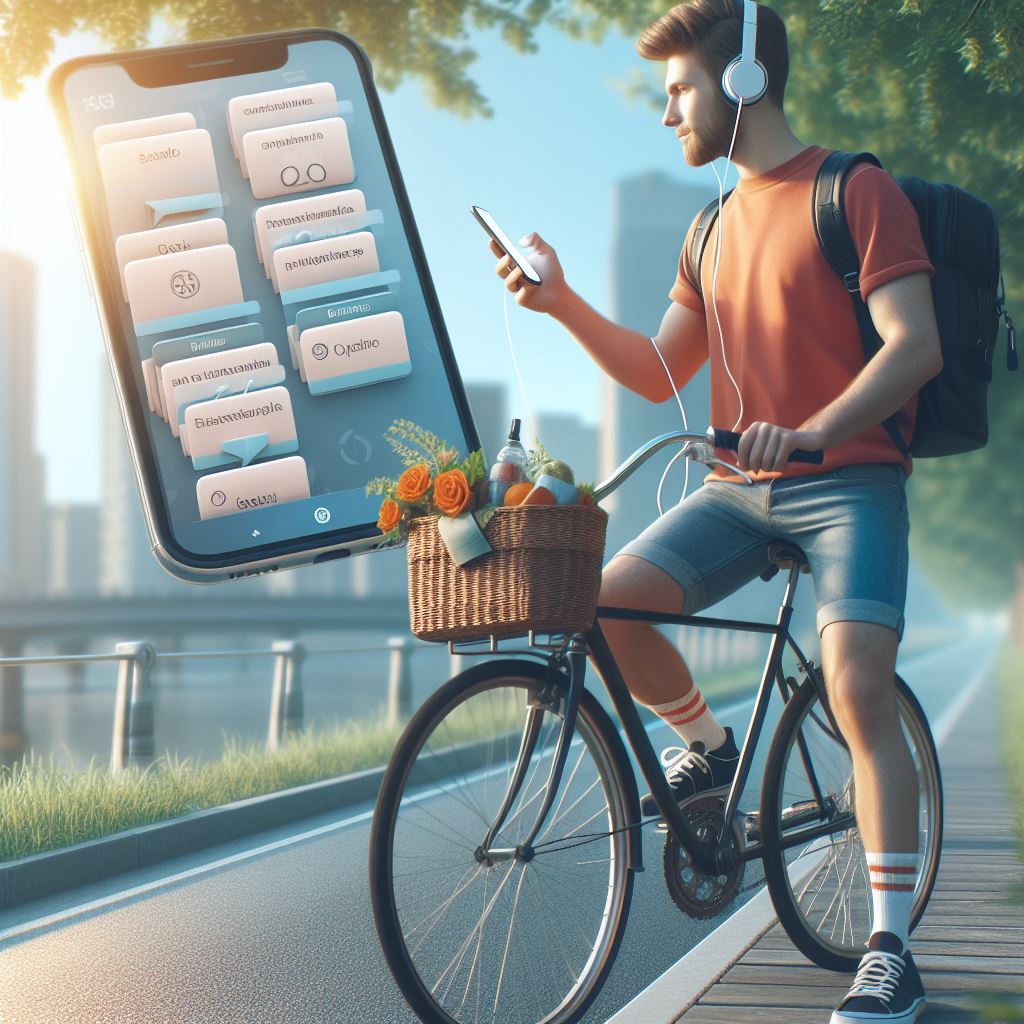
    No time to learn Spanish? What if you could learn without clicking, without looking at the screen – just by listening to your own flashcards – in the car 🚘, on a bike 🚴, on a train 🚆, while shopping 🛍️, or walking the dog 🐕?

    NotifyWord is a new mobile app flashcards app for language learning in different ways:

    👉 Active and passive learning without touching your phone.
    👉 Fast and easy import of your own flashcards – directly in the mobile app or via the website.
    👉 Interactive flashcards, quizzes, text-to-speech (TTS), and the option to choose languages and voices for both sides of the cards.
    👉 AUTOLEARN is the passive mode – it works hands-free, shooting flashcards straight into your 🎧 ears, 👁️ eyes, 🧠 brain, and 💾 memory.
    👉 Quizzes are the active mode – they require your interaction.
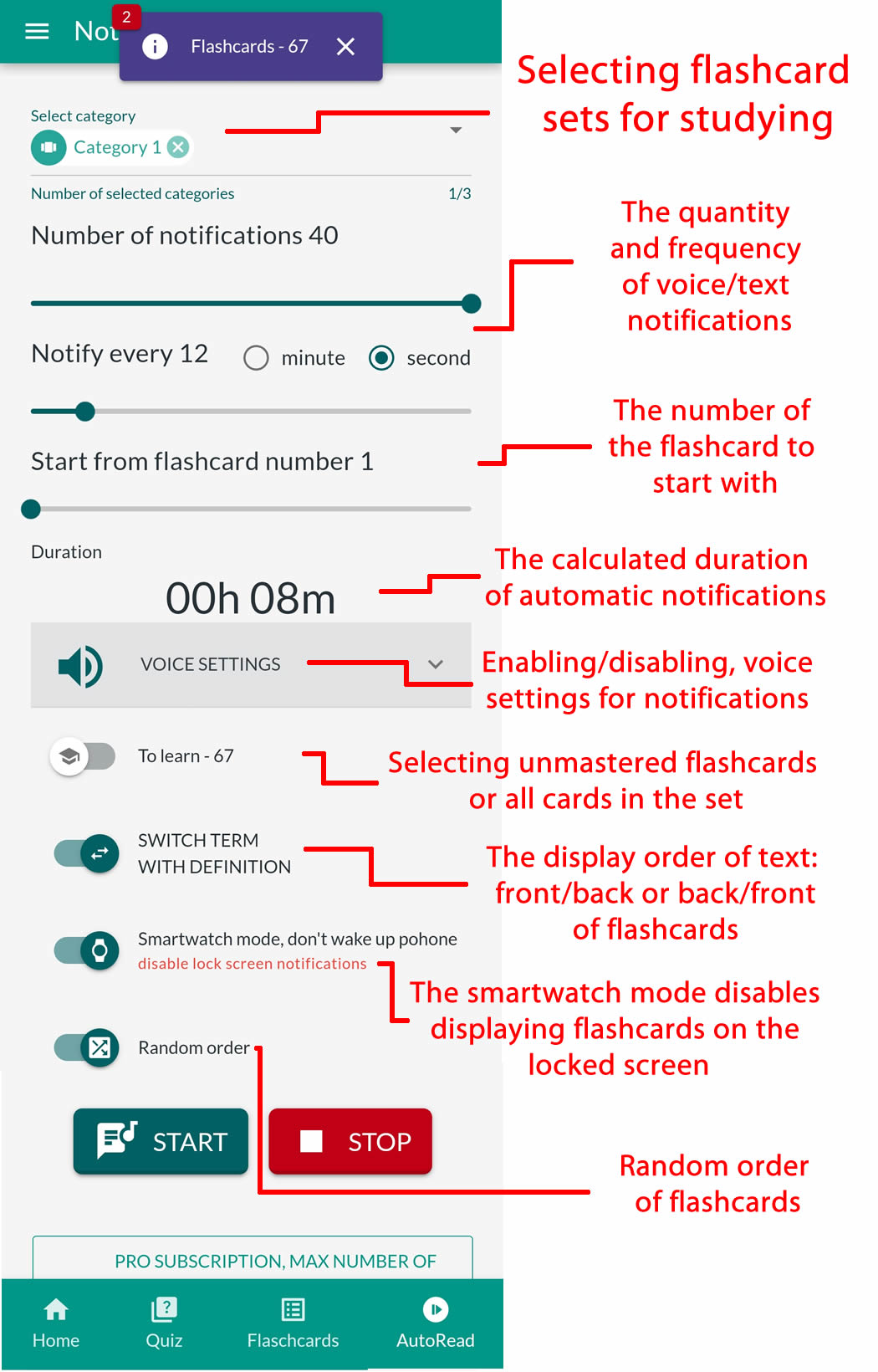
    👉 AUTOLEARN works even with the screen locked 📱 and can read flashcards in multiple ways.
    👉 🎧📚 AudioFocus lets you listen to flashcards and music at the same time – the app automatically 🔉 lowers the music when reading a flashcard 🗣️ and then brings it back 🔊.
    👉 Various playback modes in AUTOLEARN: front–back, back–front, random, only flashcards to learn (not yet memorized), in one or two languages.
    👉 Set any time interval between flashcards (e.g., 10, 20, or 45 seconds) to give yourself 🧠💡 enough time to repeat in your head or out loud and strengthen retention.


    You can use artificial intelligence to quickly create and generate your own flashcards for learning Spanish.

    You no longer need to manually copy words or phrases. Just type a command into ChatGPT, for example: “Create 30 flashcards with the most important irregular verbs in Spanish”, and the AI will instantly generate a ready-to-use set.

    📌 Here you can find instructions and sample prompts:
    👉 chatgpt-creating-interactive-flashcards-for-learning-spanish-in-mobile app-flashcard-app-sample-prompts
    📌 Here you can find instructions for generating flashcards in ChatGPT from images, text, and notes:
    👉 language-learning-generating-flashcards-from-images-text-notes-for-mobile app-notifyword-app-in-chatgpt

    *Flashcards are small paper or digital cards used for learning and memorizing information. One side of a flashcard typically contains a question, word, or concept, and the other side provides the answer, definition, or translation. They are often used for learning foreign languages, technical terms, historical dates, and other information that requires memorization. Flashcards are popular because they allow for effective, repetitive learning and self-testing.

    Learn English when car driving mobile app Flashcards App
  • English on the go: car, train, travel – mobile app with your own flashcards to listen to 🎧

    English on the go: car, train, travel – mobile app with your own flashcards to listen to 🎧

    No time to study languages? What if you could learn without clicking, without looking at the screen – just by listening to your own flashcards – in the car 🚘, on a bike 🚴, on a train 🚆, while shopping 🛍️, or walking the dog 🐕?

    NotifyWord is a new mobile app for language learning in many different ways:

    👉 Active and passive learning without touching your phone.
    👉 Fast and easy import of your own flashcards – directly in the mobile app or via the website.
    👉 Interactive flashcards, quizzes, text-to-speech (TTS), and the option to choose languages and voices for both sides of the cards.
    👉 AUTOLEARN is the passive mode – it works hands-free, shooting flashcards straight into your 🎧 ears, 👁️ eyes, 🧠 brain, and 💾 memory.
    👉 Quizzes are the active mode – they require your interaction.
    👉 AUTOLEARN works even with the screen locked 📱 and can read flashcards in multiple ways.
    👉 🎧📚 AudioFocus lets you listen to flashcards and music at the same time – the app automatically 🔉 lowers the music when reading a flashcard 🗣️ and then brings it back 🔊.
    👉 Various playback modes in AUTOLEARN: front–back, back–front, random, only flashcards to learn (not yet memorized), in one or two languages.
    👉 Set any time interval between flashcards (e.g., 10, 20, or 45 seconds) to give yourself 🧠💡 enough time to repeat in your head or out loud and strengthen retention.


    You can use artificial intelligence to quickly create and generate your own flashcards for learning English.

    You no longer need to manually copy words or phrases. Just type a command into ChatGPT, for example: “Create 30 flashcards with the most important irregular verbs in English”, and the AI will instantly generate a ready-to-use set.

    📌 Here you can find instructions and sample prompts:
    👉 chatgpt-creating-interactive-flashcards-for-learning-english-in-mobile app-flashcard-app-sample-prompts
    📌 Here you can find instructions for generating flashcards in ChatGPT from images, text, and notes:
    👉 language-learning-generating-flashcards-from-images-text-notes-for-mobile app-notifyword-app-in-chatgpt

    *Flashcards are small paper or digital cards used for learning and memorizing information. One side of a flashcard typically contains a question, word, or concept, and the other side provides the answer, definition, or translation. They are often used for learning foreign languages, technical terms, historical dates, and other information that requires memorization. Flashcards are popular because they allow for effective, repetitive learning and self-testing.

    Learn English when car driving mobile app Flashcards App
  • Learning foreign languages – generating flashcards for language learning in various ways, from photos, images, and text, for the mobile app NotifyWord in ChatGPT.

    Learning foreign languages – generating flashcards for language learning in various ways, from photos, images, and text, for the mobile app NotifyWord in ChatGPT.

    Instruction on how to create flashcards for the mobile app NotifyWord in ChatGPT from a photo, image, or text 👇

    Do you want to quickly create flashcards for learning in the NotifyWord app? With the help of ChatGPT, you can turn a photo of vocabulary, phrases with translations, notes, or text into a ready-to-use set of flashcards in the correct format within minutes.


    Step 1: Take a photo

    Take a photo of a list of words, phrases with translations, a textbook fragment, or notes that you want to turn into flashcards.

    Step 2: Upload the photo to ChatGPT

    Upload the photo to ChatGPT and type this exact command:

    Generate flashcards for learning [language/topic] in the format: front " - " back.
    Do not use any other additional characters.

    Step 3: Check the generated flashcards

    ChatGPT will create a list of flashcards in the correct format. Make sure it looks right, for example:

    perro - dog
    gato - cat
    casa - house

    Step 4: Copy the flashcards

    Select and copy the list of flashcards from ChatGPT’s response.

    Step 5: Import into NotifyWord

    Go to the Import section — on the website (to save and later download the flashcards to the app on your phone) or directly in the mobile app — and paste the copied flashcards there.

    Step 6: Click import and you’re done!

    Your flashcards are now saved in NotifyWord. You can start using quizzes, interactive flashcards, and Autolearn — passive learning.


    Tip: You can reuse the command as many times as you like, only changing [language/topic]. Remember, the flashcards should be written without additional quotation marks — exactly as in the example above.

    Sample ChatGPT commands for creating thematic flashcards at different proficiency levels, covering the most popular languages (including English, Spanish, German, French, Japanese, Swedish, Italian, and Korean), can be found directly on the NotifyWord app website.

    After importing flashcards into the mobile app NotifyWord app, you can study in various ways.

    👉 AUTOLEARN – passive mode – works without touching your phone, firing flashcards straight to your ears 🎧, eyes 👁️, brain 🧠, and memory 💾.
    👉 Quizzes – active mode – require interaction.
    👉 Interactive Flashcards – multiple browsing options, mark favorites or learned items, use Google Translator, text-to-speech (TTS), and choose languages and voices for the front and back of your cards.

    🧠 Active Learning – flashcards ideal for quizzes, tests, and recall practice. They help strengthen memory, associations, and answer formulation.

    🎧 Passive Learning – flashcards for listening and quick viewing. The app reads them aloud and displays them automatically. Perfect for immersing yourself in a language and reinforcing knowledge without active effort.

    📲 You’ll find the link to the mobile app NotifyWord at 👉 NotifyWord.com

    * Flashcards are small cards (physical or digital) used for learning and memorization. One side usually contains a question, word, or concept, and the other side holds the answer, definition, or translation. They’re widely used for learning foreign languages, terminology, historical dates, and other knowledge that requires memorization. Flashcards are popular because they enable effective, repeatable learning and easy self-testing.

    Learn French mobile app Flashcards App
    Language learning with artificial intelligence and a flashcard mobile app.
  • Korean learning in different ways – active and passive Korean learning, mobile app & ChatGPT.👇👇

    Korean learning in different ways – active and passive Korean learning, mobile app & ChatGPT.👇👇

    Examples of flashcard topics for learning Korean and sample prompts for ChatGPT.

    🧠🎧 Vocabulary and Translations

    Prompt:
    Generate 30 flashcards in the format: Korean ” – ” English
    Topic: basic words and their translations
    Level: A1
    Do not use any other additional characters


    🧠🎧 Everyday Phrases and Short Dialogues

    Prompt:
    Generate 25 flashcards in the format: Korean ” – ” English
    Topic: everyday phrases and short dialogues
    Level: A2
    Do not use any other additional characters


    🧠 Grammar (tenses, structures, moods, full sentences)

    Prompt:
    Generate 20 flashcards in the format: Korean ” – ” English
    Topic: sample sentences in the past tense
    Level: B1
    Do not use any other additional characters


    🧠 Grammar – Gap-Fill Sentences (missing word on the back)

    Prompt:
    Generate 20 flashcards in the format:
    Korean (sentence with a blank “___”) ” – ” missing word in Korean
    Topic: the verb 하다 (“to do”) in different tenses
    Level: A2
    Do not use any other additional characters

    Example format:
    어제 숙제를 ___. – 했다
    저는 매일 운동을 ___. – 합니다


    🧠 Irregular Verbs

    Prompt:
    Generate 30 flashcards in the format: Korean ” – ” English
    Topic: conjugation and use of irregular verbs (돕다, 듣다, 걷다, 만들다) in sample sentences
    Level: A2
    Do not use any other additional characters


    🧠 Prepositions and Ready-Made Phrases

    Prompt:
    Generate 25 flashcards in the format: Korean ” – ” English
    Topic: prepositions and fixed expressions (e.g., 집에, 학교에서, 친구와 같이)
    Level: A2
    Do not use any other additional characters


    🧠 Idioms and Collocations

    Prompt:
    Generate 20 flashcards in the format: Korean ” – ” English
    Topic: idioms and collocations used in everyday speech
    Level: B2
    Do not use any other additional characters


    🧠🎧 Questions and Answers

    Prompt:
    Generate 20 flashcards in the format: Korean ” – ” English
    Topic: questions and answers in Korean (everyday situations)
    Level: A1
    Do not use any other additional characters


    🎧 Specialized Vocabulary and Phrases

    Prompt:
    Generate 25 flashcards in the format: Korean ” – ” English
    Topic: travel-related vocabulary and phrases
    Level: A2
    Do not use any other additional characters


    🎧 Example Sentences

    Prompt:
    Generate 20 flashcards in the format: Korean ” – ” English
    Topic: examples of how the verb 먹다 (“to eat”) is used in different contexts
    Level: A1
    Do not use any other additional characters


    🧠 Synonyms and Antonyms

    Prompt:
    Generate 20 flashcards in the format: Korean ” – ” English
    Topic: synonyms and antonyms (e.g., 빠르다 ↔ 느리다, 행복하다 ↔ 슬프다)
    Level: B1
    Do not use any other additional characters


    🧠🎧 Thematic Sets by Level

    Prompt:
    Generate 25 flashcards in the format: Korean ” – ” English
    Topic: “Shopping” – vocabulary and phrases
    Level: A1
    Do not use any other additional characters


    How to Create Your Own Flashcards Using Artificial Intelligence – Using ChatGPT as an Example, from YouTube Videos, Documents, Photos, and Notes. 👇👇👇👇👇👇

    https://blog.notifyword.com/blog/2025/12/30/chatgpt-flashcards-from-videos-images-notes-for-active-and-passive-learning-in-mobile app/

    After importing flashcards into the mobile app NotifyWord, you can learn Korean in different ways:

    👉 AUTOLEARN – passive mode – works without touching your phone, firing flashcards straight to your ears 🎧, eyes 👁️, brain 🧠, and memory 💾.
    👉 Quizzes – active mode – require interaction.
    👉 Interactive Flashcards – multiple browsing options, mark favorites or learned items, use Google Translator, text-to-speech (TTS), and choose languages and voices for the front and back of your cards.

    🔎 Legend:

    🧠 Active Learning – flashcards ideal for quizzes, tests, and recall practice. They help strengthen memory, associations, and answer formulation.

    🎧 Passive Learning – flashcards for listening and quick viewing. The app reads them aloud and displays them automatically. Perfect for immersing yourself in a language and reinforcing knowledge without active effort.

    📲 You’ll find the link to the mobile app NotifyWord at 👉 NotifyWord.com

    💡 Flashcards are small cards (physical or digital) used for learning and memorization. One side usually contains a question, word, or concept, and the other side holds the answer, definition, or translation. They’re widely used for learning foreign languages, terminology, historical dates, and other knowledge that requires memorization. Flashcards are popular because they enable effective, repeatable learning and easy self-testing.

    Learn Korean  mobile app Flashcards App
  • German learning in different ways – active and passive German learning, mobile app & ChatGPT.👇👇

    German learning in different ways – active and passive German learning, mobile app & ChatGPT.👇👇

    Examples of flashcard topics for learning German and sample prompts for ChatGPT.

    🧠🎧 Vocabulary and Translations

    Prompt:
    Generate 30 flashcards in the format: German ” – ” English
    Topic: basic words and their translations
    Level: A1
    Do not use any other additional characters


    🧠🎧 Everyday Phrases and Short Dialogues

    Prompt:
    Generate 25 flashcards in the format: German ” – ” English
    Topic: everyday phrases and short dialogues
    Level: A2
    Do not use any other additional characters


    🧠 Grammar (tenses, structures, moods, full sentences)

    Prompt:
    Generate 20 flashcards in the format: German ” – ” English
    Topic: sample sentences in the Perfekt tense
    Level: B1
    Do not use any other additional characters


    🧠 Grammar – Gap-Fill Sentences (missing word on the back)

    Prompt:
    Generate 20 flashcards in the format:
    German (sentence with a blank “___”) ” – ” missing word in German
    Topic: the verb sein in the Präteritum tense
    Level: A2
    Do not use any other additional characters

    Example format:
    Gestern ___ ich krank. – war
    Wir ___ im Sommer in Berlin. – waren


    🧠 Irregular Verbs

    Prompt:
    Generate 30 flashcards in the format: German ” – ” English
    Topic: conjugation and use of irregular verbs (sein, haben, gehen, sehen) in sample sentences
    Level: A2
    Do not use any other additional characters


    🧠 Prepositions and Ready-Made Phrases

    Prompt:
    Generate 25 flashcards in the format: German ” – ” English
    Topic: prepositions and fixed expressions (e.g., zu Hause, in der Stadt, mit Freunden)
    Level: A2
    Do not use any other additional characters


    🧠 Idioms and Collocations

    Prompt:
    Generate 20 flashcards in the format: German ” – ” English
    Topic: idioms and collocations used in everyday speech
    Level: B2
    Do not use any other additional characters


    🧠🎧 Questions and Answers

    Prompt:
    Generate 20 flashcards in the format: German ” – ” English
    Topic: questions and answers in German (everyday situations)
    Level: A1
    Do not use any other additional characters


    🎧 Specialized Vocabulary and Phrases

    Prompt:
    Generate 25 flashcards in the format: German ” – ” English
    Topic: medical vocabulary and phrases
    Level: B1
    Do not use any other additional characters


    🎧 Example Sentences

    Prompt:
    Generate 20 flashcards in the format: German ” – ” English
    Topic: examples of how the verb arbeiten is used in different contexts
    Level: B1
    Do not use any other additional characters


    🧠 Synonyms and Antonyms

    Prompt:
    Generate 20 flashcards in the format: German ” – ” English
    Topic: synonyms and antonyms (e.g., schnell ↔ langsam, glücklich ↔ traurig)
    Level: B1
    Do not use any other additional characters


    🧠🎧 Thematic Sets by Level

    Prompt:
    Generate 25 flashcards in the format: German ” – ” English
    Topic: “Shopping” – vocabulary and phrases
    Level: A1
    Do not use any other additional characters


    How to Create Your Own Flashcards Using Artificial Intelligence – Using ChatGPT as an Example, from YouTube Videos, Documents, Photos, and Notes. 👇👇👇👇👇👇

    https://blog.notifyword.com/blog/2025/12/30/chatgpt-flashcards-from-videos-images-notes-for-active-and-passive-learning-in-mobile app/

    After importing flashcards into the mobile app NotifyWord, you can learn German in different ways:

    👉 AUTOLEARN – passive mode – works without touching your phone, firing flashcards straight to your ears 🎧, eyes 👁️, brain 🧠, and memory 💾.
    👉 Quizzes – active mode – require interaction.
    👉 Interactive Flashcards – multiple browsing options, mark favorites or learned items, use Google Translator, text-to-speech (TTS), and choose languages and voices for the front and back of your cards.

    🔎 Legend:

    🧠 Active Learning – flashcards ideal for quizzes, tests, and recall practice. They help strengthen memory, associations, and answer formulation.

    🎧 Passive Learning – flashcards for listening and quick viewing. The app reads them aloud and displays them automatically. Perfect for immersing yourself in a language and reinforcing knowledge without active effort.

    📲 You’ll find the link to the mobile app NotifyWord at 👉 NotifyWord.com

    💡 Flashcards are small cards (physical or digital) used for learning and memorization. One side usually contains a question, word, or concept, and the other side holds the answer, definition, or translation. They’re widely used for learning foreign languages, terminology, historical dates, and other knowledge that requires memorization. Flashcards are popular because they enable effective, repeatable learning and easy self-testing.

    Learn German mobile app Flashcards App
  • Spanish learning in different ways – active and passive Spanish learning, mobile app & ChatGPT. 👇👇

    Spanish learning in different ways – active and passive Spanish learning, mobile app & ChatGPT. 👇👇

    Examples of flashcard topics for learning Spanish and sample prompts for ChatGPT.

    🧠🎧 Vocabulary and Translations

    Prompt:
    Generate 30 flashcards in the format: Spanish ” – ” English
    Topic: basic words and their translations
    Level: A1
    Do not use any other additional characters


    🧠🎧 Everyday Phrases and Short Dialogues

    Prompt:
    Generate 25 flashcards in the format: Spanish ” – ” English
    Topic: everyday phrases and short dialogues
    Level: A2
    Do not use any other additional characters


    🧠 Grammar (tenses, structures, moods, full sentences)

    Prompt:
    Generate 20 flashcards in the format: Spanish ” – ” English
    Topic: sample sentences in pretérito perfecto
    Level: B1
    Do not use any other additional characters


    🧠 Grammar – Gap-Fill Sentences (missing word on the back)

    Prompt:
    Generate 20 flashcards in the format:
    Spanish (sentence with a blank “___”) ” – ” missing word in Spanish
    Topic: the verb ser in the imperfect tense
    Level: A2
    Do not use any other additional characters

    Example format:
    Cuando yo ___ niño, vivía en Madrid. – era
    Nosotros ___ muy felices en esa época. – éramos


    🧠 Irregular Verbs

    Prompt:
    Generate 30 flashcards in the format: Spanish ” – ” English
    Topic: conjugation and use of irregular verbs (ser, estar, ir, tener, hacer) in sample sentences
    Level: A2
    Do not use any other additional characters


    🧠 Prepositions and Ready-Made Phrases

    Prompt:
    Generate 25 flashcards in the format: Spanish ” – ” English
    Topic: prepositions and fixed expressions (e.g., en casa, en la ciudad, con amigos)
    Level: A2
    Do not use any other additional characters


    🧠 Idioms and Collocations

    Prompt:
    Generate 20 flashcards in the format: Spanish ” – ” English
    Topic: idioms and collocations used in everyday speech
    Level: B2


    🧠🎧 Questions and Answers

    Prompt:
    Generate 20 flashcards in the format: Spanish ” – ” English
    Topic: common questions and answers in Spanish (everyday situations)
    Level: A1
    Do not use any other additional characters


    🎧 Specialized Vocabulary and Phrases

    Prompt:
    Generate 25 flashcards in the format: Spanish ” – ” English
    Topic: travel-related vocabulary and phrases
    Level: A2
    Do not use any other additional characters


    🎧 Example Sentences

    Prompt:
    Generate 20 flashcards in the format: Spanish ” – ” English
    Topic: examples of how the verb trabajar is used in different contexts
    Level: B1
    Do not use any other additional characters


    🧠 Synonyms and Antonyms

    Prompt:
    Generate 20 flashcards in the format: Spanish ” – ” English
    Topic: synonyms and antonyms (e.g., rápido ↔ lento, feliz ↔ triste)
    Level: B1
    Do not use any other additional characters


    🧠🎧 Thematic Sets by Level

    Prompt:
    Generate 25 flashcards in the format: Spanish ” – ” English
    Topic: “Shopping” – vocabulary and phrases
    Level: A1
    Do not use any other additional characters


    How to Create Your Own Flashcards Using Artificial Intelligence – Using ChatGPT as an Example, from YouTube Videos, Documents, Photos, and Notes. 👇👇👇👇👇👇

    https://blog.notifyword.com/blog/2025/12/30/chatgpt-flashcards-from-videos-images-notes-for-active-and-passive-learning-in-mobile app/

    After importing flashcards into the mobile app NotifyWord, you can learn Spanish in different ways:

    👉 AUTOLEARN – passive mode – works without touching your phone, firing flashcards straight to your ears 🎧, eyes 👁️, brain 🧠, and memory 💾.
    👉 Quizzes – active mode – require interaction.
    👉 Interactive Flashcards – multiple browsing options, mark favorites or learned items, use Google Translator, text-to-speech (TTS), and choose languages and voices for the front and back of your cards.

    🔎 Legend:

    🧠 Active Learning – flashcards ideal for quizzes, tests, and recall practice. They help strengthen memory, associations, and answer formulation.

    🎧 Passive Learning – flashcards for listening and quick viewing. The app reads them aloud and displays them automatically. Perfect for immersing yourself in a language and reinforcing knowledge without active effort.

    📲 You’ll find the link to the mobile app NotifyWord at 👉 NotifyWord.com

    💡 Flashcards are small cards (physical or digital) used for learning and memorization. One side usually contains a question, word, or concept, and the other side holds the answer, definition, or translation. They’re widely used for learning foreign languages, terminology, historical dates, and other knowledge that requires memorization. Flashcards are popular because they enable effective, repeatable learning and easy self-testing.

    Learn Spanish mobile app Flashcards App
  • Học tiếng Ba Lan theo nhiều cách khác nhau – tạo thẻ flashcards của riêng bạn trong ChatGPT cho ứng dụng mobile app, học chủ động và thụ động.

    Học tiếng Ba Lan theo nhiều cách khác nhau – tạo thẻ flashcards của riêng bạn trong ChatGPT cho ứng dụng mobile app, học chủ động và thụ động.

    Làm thế nào để tạo thẻ flashcards riêng trong ChatGPT để học tiếng Ba Lan theo nhiều cách khác nhau trên ứng dụng mobile app?👇

    🧠🎧 Từ vựng và bản dịch

    Lệnh:
    Tạo 30 thẻ ghi nhớ theo định dạng: tiếng Ba Lan ” – ” tiếng Việt
    Chủ đề: từ vựng cơ bản và bản dịch (ví dụ: nhà, trường học, đồ ăn, đồ uống)
    Trình độ: A1
    Không sử dụng các ký tự bổ sung khác.


    🧠🎧 Câu nói hàng ngày và đoạn hội thoại ngắn

    Lệnh:
    Tạo 25 thẻ ghi nhớ theo định dạng: tiếng Ba Lan ” – ” tiếng Việt
    Chủ đề: câu nói hàng ngày và đoạn hội thoại ngắn (ví dụ: chào hỏi, tạm biệt, hỏi thăm)
    Trình độ: A2
    Không sử dụng các ký tự bổ sung khác.


    🧠 Ngữ pháp – Câu hoàn chỉnh

    Lệnh:
    Tạo 20 thẻ ghi nhớ theo định dạng: tiếng Ba Lan ” – ” tiếng Việt
    Chủ đề: ví dụ câu ở thì quá khứ (ví dụ: Hôm qua tôi đã đi làm., Cô ấy đã mua bánh mì., Chúng tôi đã xem phim.)
    Trình độ: B1
    Không sử dụng các ký tự bổ sung khác.


    🧠 Ngữ pháp – Câu có chỗ trống (từ còn thiếu ở mặt sau)

    Lệnh:
    Tạo 20 thẻ ghi nhớ theo định dạng:
    Tiếng Ba Lan (câu có chỗ trống “___”) ” – ” từ còn thiếu bằng tiếng Ba Lan
    Chủ đề: động từ “być” (là) ở các thì khác nhau (quá khứ, hiện tại, tương lai)
    Trình độ: A2
    Không sử dụng các ký tự bổ sung khác.

    Ví dụ định dạng:

    • Wczoraj ja ___ w domu. – byłem
    • Oni ___ w pracy w poniedziałek. – byli
    • Teraz ja ___ w szkole. – jestem
    • Jutro oni ___ w kinie. – będą

    🧠 Động từ bất quy tắc

    Lệnh:
    Tạo 30 thẻ ghi nhớ theo định dạng: tiếng Ba Lan ” – ” tiếng Việt
    Chủ đề: cách chia và cách dùng động từ bất quy tắc trong câu
    Trình độ: A2
    Không sử dụng các ký tự bổ sung khác.


    🧠 Giới từ và cụm từ thông dụng

    Lệnh:
    Tạo 25 thẻ ghi nhớ theo định dạng: tiếng Ba Lan ” – ” tiếng Việt
    Chủ đề: giới từ và cụm từ thông dụng (ví dụ: w domu, w mieście, z przyjaciółmi)
    Trình độ: A2
    Không sử dụng các ký tự bổ sung khác.


    🧠 Thành ngữ và cụm từ cố định

    Lệnh:
    Tạo 20 thẻ ghi nhớ theo định dạng: tiếng Ba Lan ” – ” tiếng Việt
    Chủ đề: thành ngữ và cụm từ thường dùng trong giao tiếp hàng ngày
    Trình độ: B2


    🧠🎧 Câu hỏi và câu trả lời trong tình huống hàng ngày

    Lệnh:
    Tạo 20 thẻ ghi nhớ theo định dạng: tiếng Ba Lan ” – ” tiếng Việt
    Chủ đề: câu hỏi và câu trả lời thường gặp trong tình huống hàng ngày (ví dụ: trong cửa hàng, nhà hàng, trường học)
    Trình độ: A1
    Không sử dụng các ký tự bổ sung khác.


    🎧 Từ vựng và cụm từ chuyên ngành

    Lệnh:
    Tạo 25 thẻ ghi nhớ theo định dạng: tiếng Ba Lan ” – ” tiếng Việt
    Chủ đề: từ vựng và cụm từ chuyên ngành (ví dụ: y tế, kỹ thuật)
    Trình độ: B1
    Không sử dụng các ký tự bổ sung khác.


    🧠 Từ đồng nghĩa và trái nghĩa

    Lệnh:
    Tạo 20 thẻ ghi nhớ theo định dạng: tiếng Ba Lan ” – ” tiếng Việt
    Chủ đề: từ đồng nghĩa và trái nghĩa (ví dụ: szybki ↔ chậm, szczęśliwy ↔ buồn)
    Trình độ: B1
    Không sử dụng các ký tự bổ sung khác.


    🧠🎧 Bộ thẻ theo chủ đề và trình độ

    Lệnh:
    Tạo 25 thẻ ghi nhớ theo định dạng: tiếng Ba Lan ” – ” tiếng Việt
    Chủ đề: bộ từ vựng theo chủ đề (ví dụ: Mua sắm, Giao thông, Nhà hàng)
    Trình độ: A1
    Không sử dụng các ký tự bổ sung khác.


    🧠🎧 Câu hội thoại tự nhiên – Luyện nghe

    Lệnh:
    Tạo 30 thẻ ghi nhớ theo định dạng: câu tiếng Ba Lan ” – ” câu tiếng Ba Lan (câu trả lời tự nhiên)
    Chủ đề: trò chuyện ngắn, gặp gỡ, nói chuyện với bạn bè
    Trình độ: A2–B1
    Không sử dụng các ký tự bổ sung khác.


    Học theo nhiều cách khác nhau – ứng dụng flashcards cho mobile app

    Sau khi nhập flashcards vào ứng dụng mobile app NotifyWord, bạn có thể học theo nhiều cách khác nhau.

    👉 AUTOLEARN là chế độ thụ động – hoạt động mà không cần chạm vào điện thoại, bắn flashcards – vào tai 🎧, vào mắt 👁️, vào đầu 🧠 và thẳng vào trí nhớ 💾.
    👉 Quiz là chế độ chủ động – yêu cầu sự tương tác.
    👉 Flashcards tương tác – nhiều tùy chọn xem, đánh dấu mục yêu thích, đã học, Google Dịch, chuyển văn bản thành giọng nói (TTS), lựa chọn ngôn ngữ và giọng đọc cho mặt trước và mặt sau của thẻ.

    🔎 Chú thích:

    🧠 Học chủ động – flashcards lý tưởng cho các bài quiz, kiểm tra, ôn tập có đáp án. Giúp rèn luyện trí nhớ, khả năng liên tưởng và diễn đạt câu trả lời.

    🎧 Học thụ động – flashcards để nghe và xem. Ứng dụng sẽ tự động đọc to và hiển thị chúng. Tuyệt vời để làm quen với ngôn ngữ và ghi nhớ nội dung mà không cần tham gia chủ động.

    📲 Liên kết đến ứng dụng mobile app NotifyWord có tại 👉 NotifyWord.com

    Flashcards là những tấm thẻ nhỏ hoặc thẻ kỹ thuật số dùng để học và ghi nhớ thông tin. Một mặt của flashcard thường chứa câu hỏi, từ vựng hoặc khái niệm, còn mặt kia là câu trả lời, định nghĩa hoặc bản dịch. Flashcards thường được sử dụng để học ngoại ngữ, thuật ngữ trong nhiều lĩnh vực, ngày tháng lịch sử và các thông tin khác cần ghi nhớ. Flashcards phổ biến vì cho phép học tập hiệu quả, lặp lại nhiều lần và tự kiểm tra kiến thức.

  • Learning Polish in different ways – flashcards mobile app & ChatGPT

    Learning Polish in different ways – flashcards mobile app & ChatGPT

    Examples of flashcard topics for learning Polish and sample prompts for ChatGPT.

    🧠🎧 Vocabulary and Translations

    Prompt:
    Generate 30 flashcards in the format: Polish ” – ” English
    Topic: basic words and their translations (e.g., house, school, food, drinks)
    Level: A1
    Do not use any other additional characters


    🧠🎧 Daily Phrases and Short Dialogues

    Prompt:
    Generate 25 flashcards in the format: Polish ” – ” English
    Topic: daily phrases and short dialogues (e.g., greetings, farewells, asking about well-being)
    Level: A2
    Do not use any other additional characters


    🧠 Grammar – Complete Sentences

    Prompt:
    Generate 20 flashcards in the format: Polish ” – ” English
    Topic: example sentences in the past tense (e.g., I was at work yesterday., She bought bread., We watched a movie.)
    Level: B1
    Do not use any other additional characters


    🧠 Grammar – Sentences with a Gap (missing word on the back)

    Prompt:
    Generate 20 flashcards in the format:
    Polish (sentence with a gap “___”) ” – ” missing word in Polish
    Topic: verb “być” (to be) in different tenses (past, present, future)
    Level: A2
    Do not use any other additional characters

    Example format:

    • Wczoraj ja ___ w domu. – byłem
    • Oni ___ w pracy w poniedziałek. – byli
    • Teraz ja ___ w szkole. – jestem
    • Jutro oni ___ w kinie. – będą

    🧠 Irregular Verbs

    Prompt:
    Generate 30 flashcards in the format: Polish ” – ” English
    Topic: conjugation and use of irregular verbs in sentences
    Level: A2
    Do not use any other additional characters


    🧠 Prepositions and Common Phrases

    Prompt:
    Generate 25 flashcards in the format: Polish ” – ” English
    Topic: prepositions and common phrases (e.g., w domu, w mieście, z przyjaciółmi)
    Level: A2
    Do not use any other additional characters


    🧠 Idioms and Collocations

    Prompt:
    Generate 20 flashcards in the format: Polish ” – ” English
    Topic: idioms and collocations used in everyday speech
    Level: B2
    Do not use any other additional characters


    🧠🎧 Questions and Answers in Daily Situations

    Prompt:
    Generate 20 flashcards in the format: Polish ” – ” English
    Topic: typical questions and answers used in daily situations (e.g., in a store, restaurant, school)
    Level: A1
    Do not use any other additional characters


    🎧 Phrases and Specialized Vocabulary

    Prompt:
    Generate 25 flashcards in the format: Polish ” – ” English
    Topic: specialized vocabulary and phrases (e.g., medical, technical)
    Level: B1
    Do not use any other additional characters


    🧠 Synonyms and Antonyms

    Prompt:
    Generate 20 flashcards in the format: Polish ” – ” English
    Topic: synonyms and antonyms (e.g., szybki ↔ wolny, szczęśliwy ↔ smutny)
    Level: B1
    Do not use any other additional characters


    🧠🎧 Thematic Sets by Level

    Prompt:
    Generate 25 flashcards in the format: Polish ” – ” English
    Topic: chosen thematic set (e.g., Shopping, Transport, Restaurant)
    Level: A1
    Do not use any other additional characters


    🧠🎧 Natural Conversation Sentences – Listening Practice

    Prompt:
    Generate 30 flashcards in the format: Polish sentence ” – ” Polish sentence (natural answer)
    Topic: small talk, meetings, conversations with friends
    Level: A2–B1
    Do not use any other additional characters


    How to Create Your Own Flashcards Using Artificial Intelligence – Using ChatGPT as an Example, from YouTube Videos, Documents, Photos, and Notes. 👇👇👇👇👇👇

    https://blog.notifyword.com/blog/2025/12/30/chatgpt-flashcards-from-videos-images-notes-for-active-and-passive-learning-in-mobile app/
    Learn polish mobile app Flashcards App

    After importing flashcards into the mobile app NotifyWord, you can learn in different ways:

    👉 AUTOLEARN – passive mode – works without touching your phone, firing flashcards straight to your ears 🎧, eyes 👁️, brain 🧠, and memory 💾.
    👉 Quizzes – active mode – require interaction.
    👉 Interactive Flashcards – multiple browsing options, mark favorites or learned items, use Google Translator, text-to-speech (TTS), and choose languages and voices for the front and back of your cards.

    🔎 Legend:

    🧠 Active Learning – flashcards ideal for quizzes, tests, and recall practice. They help strengthen memory, associations, and answer formulation.

    🎧 Passive Learning – flashcards for listening and quick viewing. The app reads them aloud and displays them automatically. Perfect for immersing yourself in a language and reinforcing knowledge without active effort.

    📲 You’ll find the link to the mobile app NotifyWord at 👉 NotifyWord.com

    💡 Flashcards are small cards (physical or digital) used for learning and memorization. One side usually contains a question, word, or concept, and the other side holds the answer, definition, or translation. They’re widely used for learning foreign languages, terminology, historical dates, and other knowledge that requires memorization. Flashcards are popular because they enable effective, repeatable learning and easy self-testing.

  • How to create your own flashcards in ChatGPT for language English learning in different ways on the mobile app?

    How to create your own flashcards in ChatGPT for language English learning in different ways on the mobile app?

    📋 Sample Topics & Prompts for ChatGPT – Learning English in Different Ways with Interactive Flashcards 🇬🇧

    🧠🎧 Vocabulary and Translations
    Prompt:
    Generate 30 flashcards in the format: English ” – ” Spanish
    Topic: Basic vocabulary and their translations
    Level: A1
    Do not use any other additional characters


    🧠🎧 Daily Phrases and Short Dialogues
    Prompt:
    Generate 25 flashcards in the format: English ” – ” Spanish
    Topic: Daily phrases and short dialogues
    Level: A2
    Do not use any other additional characters


    🧠 Grammar (tenses, structures, moods, full sentences)
    Prompt:
    Generate 20 flashcards in the format: English ” – ” Spanish
    Topic: Example sentences in Present Perfect
    Level: B1
    Do not use any other additional characters


    🧠 Grammar – Fill-in-the-blank sentences (missing word on the back)
    Prompt:
    Generate 20 flashcards in the format:
    English (sentence with a blank “___”) ” – ” missing English word
    Topic: Verb “to be” in Past Simple
    Level: A2
    Do not use any other additional characters

    Example format:
    Yesterday I ___ very tired. – was
    They ___ at home last night. – were


    🧠 Irregular Verbs
    Prompt:
    Generate 30 flashcards in the format: English ” – ” Spanish
    Topic: Conjugation and use of irregular verbs (be, have, go, see) in example sentences
    Level: A2
    Do not use any other additional characters


    🧠 Prepositions and Fixed Phrases
    Prompt:
    Generate 25 flashcards in the format: English ” – ” Spanish
    Topic: Prepositions and fixed phrases (e.g., at home, in the city, with friends)
    Level: A2
    Do not use any other additional characters


    🧠 Idioms and Collocations
    Prompt:
    Generate 20 flashcards in the format: English ” – ” Spanish
    Topic: Common idioms and collocations used in everyday speech
    Level: B2
    Do not use any other additional characters


    🧠🎧 Questions and Answers (EN – EN)
    Prompt:
    Generate 20 flashcards in the format: English ” – ” English
    Topic: Questions and sample answers (daily situations)
    Level: A1
    Do not use any other additional characters

    Example:
    Where do you live? – I live in Madrid.
    What’s your favorite food? – My favorite food is paella.


    🎧 Specialized Vocabulary and Phrases
    Prompt:
    Generate 25 flashcards in the format: English ” – ” Spanish
    Topic: Medical vocabulary and phrases
    Level: B1
    Do not use any other additional characters


    🎧 Examples in Sentences
    Prompt:
    Generate 20 flashcards in the format: English ” – ” Spanish
    Topic: Examples of the word “work” in different contexts
    Level: B1
    Do not use any other additional characters


    🧠 Synonyms and Antonyms (EN – EN)
    Prompt:
    Generate 20 flashcards in the format: English ” – ” English
    Topic: Synonyms and antonyms (e.g., fast ↔ quick, happy ↔ glad / sad)
    Level: B1
    Do not use any other additional characters

    Example:
    fast – quick
    happy – glad
    sad – unhappy


    🧠🎧 Thematic Sets by Level
    Prompt:
    Generate 25 flashcards in the format: English – Spanish
    Topic: “Shopping” – vocabulary and phrases
    Level: A1
    Do not use any other additional characters

    How to Create Your Own Flashcards Using Artificial Intelligence – Using ChatGPT as an Example, from YouTube Videos, Documents, Photos, and Notes. 👇👇👇👇👇👇

    https://blog.notifyword.com/blog/2025/12/30/chatgpt-flashcards-from-videos-images-notes-for-active-and-passive-learning-in-mobile app/
    LearnEnglish mobile app Flashcards App

    After importing flashcards into the mobile app NotifyWord, you can learn English in different ways:

    👉 AUTOLEARN – passive mode – works without touching your phone, firing flashcards straight to your ears 🎧, eyes 👁️, brain 🧠, and memory 💾.
    👉 Quizzes – active mode – require interaction.
    👉 Interactive Flashcards – multiple browsing options, mark favorites or learned items, use Google Translator, text-to-speech (TTS), and choose languages and voices for the front and back of your cards.

    🔎 Legend:

    🧠 Active Learning – flashcards ideal for quizzes, tests, and recall practice. They help strengthen memory, associations, and answer formulation.

    🎧 Passive Learning – flashcards for listening and quick viewing. The app reads them aloud and displays them automatically. Perfect for immersing yourself in a language and reinforcing knowledge without active effort.

    📲 You’ll find the link to the mobile app NotifyWord at 👉 NotifyWord.com

    💡 Flashcards are small cards (physical or digital) used for learning and memorization. One side usually contains a question, word, or concept, and the other side holds the answer, definition, or translation. They’re widely used for learning foreign languages, terminology, historical dates, and other knowledge that requires memorization. Flashcards are popular because they enable effective, repeatable learning and easy self-testing.