Author: Jack

  • Active and passive learning – flashcards generated from YouTube videos, images, and notes in ChatGPT.

    Active and passive learning – flashcards generated from YouTube videos, images, and notes in ChatGPT.

    How to create your own flashcards using artificial intelligence, for example with ChatGPT, from YouTube videos, documents, photos, and notes for an mobile app with passive and active learning.

    App for personal and public text flashcards 🤖 MOBILE APP NOTIFYWORD – learns, reads, repeats, and tests while YOU do what YOU LOVE 🎧🚴🕺🎵💃🎮💪

    Active and passive learning – AI & mobile app.

    Creating Flashcards from YouTube Videos.

    1. Creating a transcript, for example using https://notegpt.io/, from a video on YouTube.
    2. Provide a prompt for generating flashcards in ChatGPT or another artificial intelligence Create a list of flashcards from the entire text. Use the format: front – back. Do not use any other dashes or hyphens except for one single dash in each flashcard. One line equals one flashcard. Create complete flashcards covering the entire content of the text. Generate flashcards only on the topic of geography (or another topic, e.g. learning English).
      *Sometimes AI may not understand the format, so you can specify it as: front “–” back.
    3. Pasting the transcript text into ChatGPT and generating flashcards.
    4. Import the generated flashcards into the app via the Import tab, on the web or in the mobile app. On the web, importing flashcards from text is possible after creating a new set or editing an existing one.
    5. For passive and active learning, import the flashcards created on the web into the NotifyWord mobile app flashcards app.

    Example flashcards to import are available in the Import tab on the website or in the mobile app. 👇

    ChatGPT flashcards & mobile app flashcards app

    Creating flashcards from pasted text, photos, notes, and documents.

    1. Provide a prompt for generating flashcards in ChatGPT or another artificial intelligenceCreate a list of flashcards. Use the format: front – back. Do not use any other dashes or hyphens except for a single dash in each flashcard. One line equals one flashcard. Create complete flashcards covering the entire content of the text (from photos or documents), focusing only on the topic of geography (or another topic, e.g., learning English).
      *Sometimes AI may not understand the format, so you can specify it as: front “–” back.
    2. Paste the text or upload a photo or document to ChatGPT and generate a list of flashcards.
    3. Import the generated flashcards into the app via the Import tab, on the web or in the mobile app. On the web, importing flashcards from text is possible after creating a new set or editing an existing one.
    4. For passive and active learning, import the flashcards created on the web into the NotifyWord mobile app flashcards app.

    Creating flashcards using a prompt (without documents or photos).

    1. Provide a prompt for generating flashcards, example prompt in ChatGPT or another artificial intelligence : Create a list of 20 flashcards about cell biology in the format: front – back, without any additional characters or lines. One line equals one flashcard.” *Sometimes AI may not understand the format, so you can specify it as: front “–” back.
    2. Import the generated flashcards into the app via the Import tab, on the web or in the mobile app. On the web, importing flashcards from text is possible after creating a new set or editing an existing one.
    3. For passive and active learning, import the flashcards created on the web into the NotifyWord mobile app flashcards app.

    Creating flashcards for learning different languages.

    Instructions for creating sample flashcards in ChatGPT for learning popular languages: links.

    🔄 What if the flashcards don’t turn out perfectly?

    Sometimes flashcards generated by artificial intelligence may not fully match your learning style — they might be too simple, too difficult, or just “not quite right.” And that’s OK 👍

    You have several options:

    • ✏️ Edit the flashcards manually — adjust definitions, examples, or translations exactly the way you want
    • 🤖 Switch the model in ChatGPT — different models generate flashcards in slightly different styles (more concise, more precise, or more creative)
    • 🔁 Generate flashcards in another AI, then import them into NotifyWord

    This way, you have full control over how your flashcards look and work.

    Study tips - text flashcards for listening – NotifyWord mobile app.

    🔗 NotifyWord mobile app Flashcards App

    Listen to your flashcards – on your way to work or school, with music in the background.
    Interactive, text-based flashcards for listening, supporting both passive and active learning.
    Study and review material while walking or shopping – no need to touch your phone. You can listen to music and your flashcards at the same time!

    Learning modes:👇

    🧠 Active learning – interactive flashcards perfect for quizzes, self-testing, and answer-based reviews. They help train memory, associations, and answer formulation.

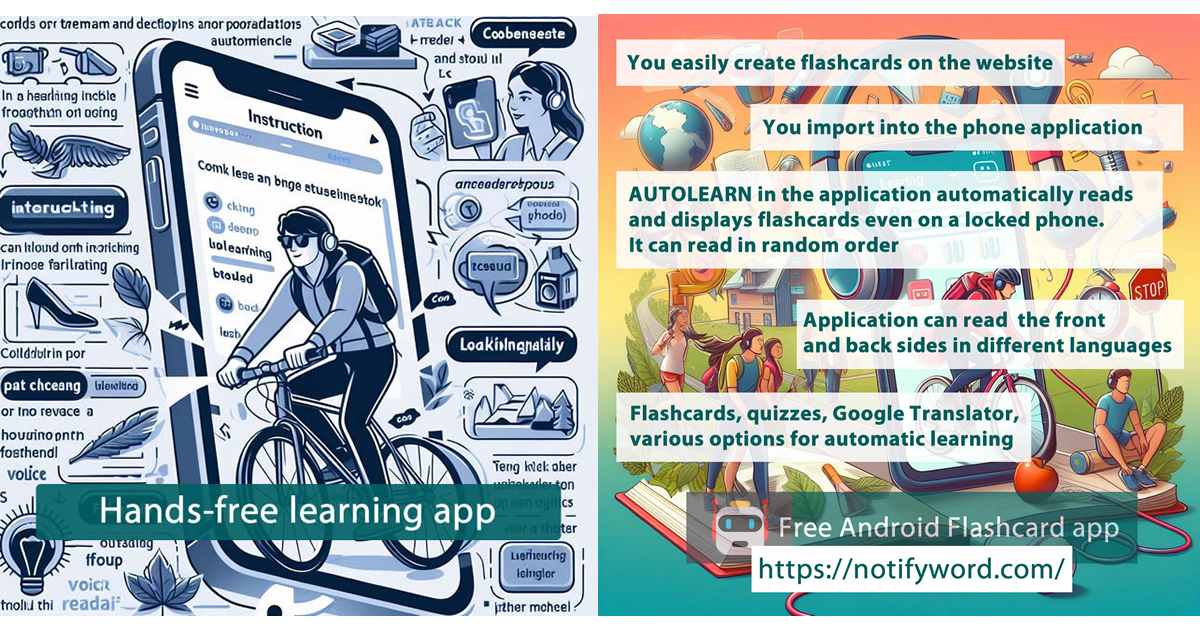
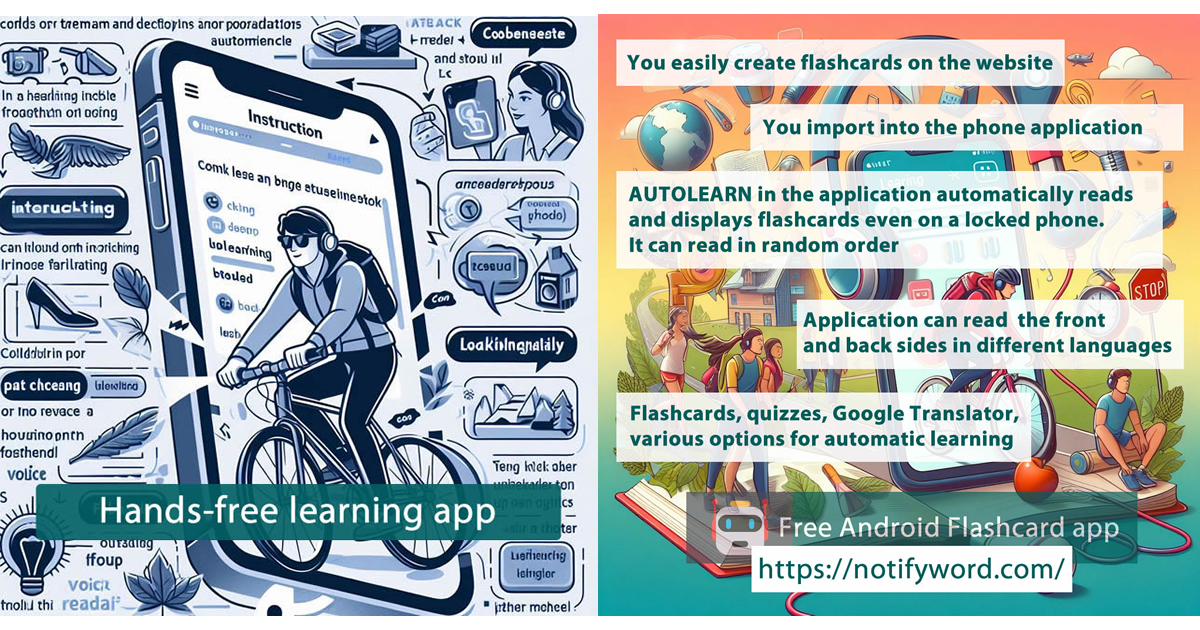
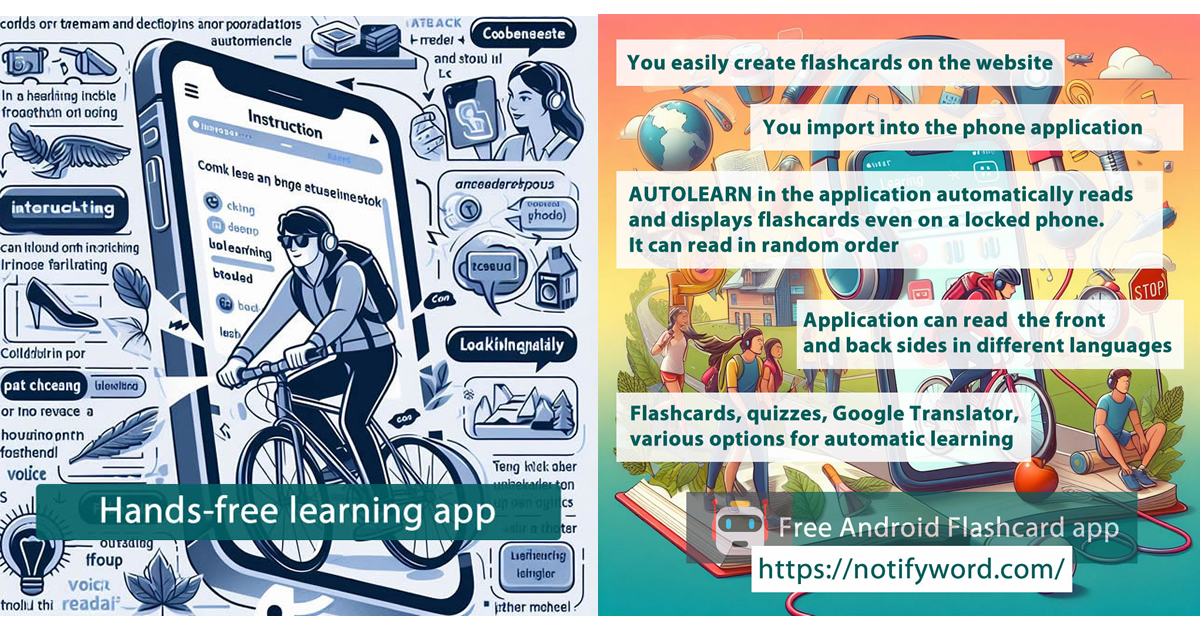
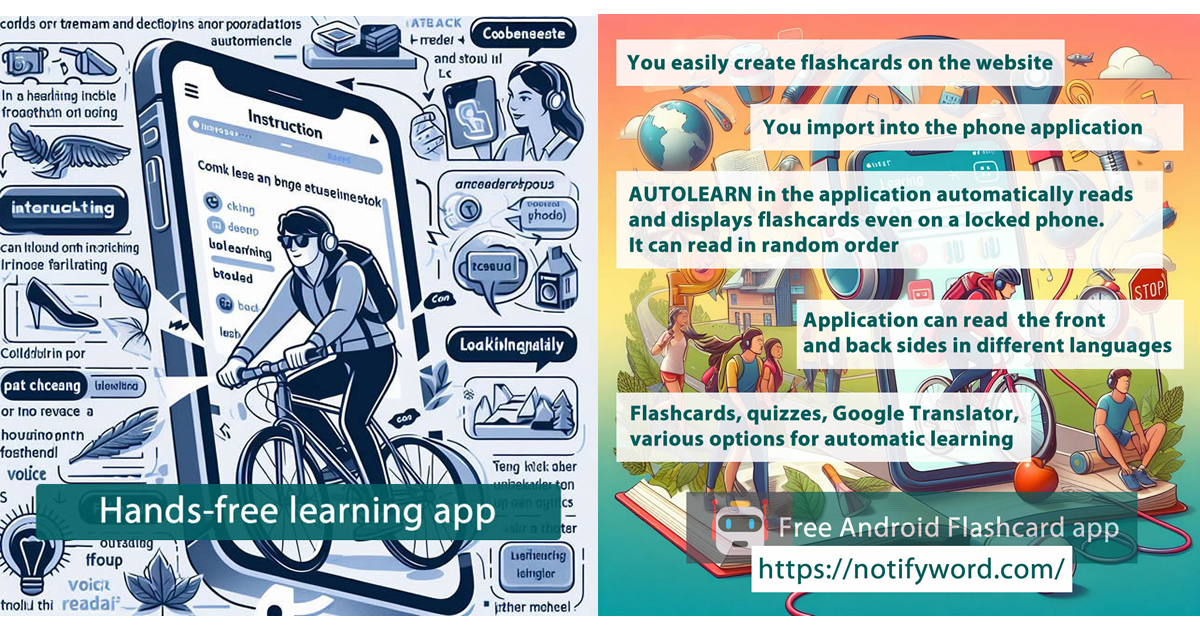
    🎧 Passive learning – flashcards for listening and automatic display. The app reads them aloud and shows them automatically. Great for getting used to a language and reinforcing content without active tapping.

    🚀 Autolearn – passive learning mode
    Reads and displays flashcards in various ways: no boredom, no tapping. Offers multiple speed options, voices, languages, different orders, marking learned cards, adding favorites, and a reversed flashcard mode (swap front and back).

    💛 Favorites – you can mark favorite flashcards from different sets to study them first.

    Flashcards are small paper or digital cards used for learning and memorization. One side usually contains a question, word, or term, while the other side has the answer, definition, or translation. They are commonly used for learning foreign languages, subject-specific terminology, historical dates, and other information that requires memorization. Flashcards are popular because they enable effective, repetitive learning and self-testing.

  • How to create voice flashcards from a photo or a prompt in ChatGPT for the NotifyWord flashcard mobile app.

    How to create voice flashcards from a photo or a prompt in ChatGPT for the NotifyWord flashcard mobile app.

    How to Create Your Own Voice Flashcards from Text or Images with ChatGPT for Passive and Active Learning in the mobile app App NotifyWord 👇

    With the NotifyWord app and the help of ChatGPT, you can create your own voice flashcards in just a few minutes — interactive cards that your mobile app can display and read aloud, in one or two languages, in different modes.
    This allows you to learn passively (just by listening, without touching your phone) or actively (by solving quizzes and guessing interactive flashcards).


    🔍 What Are Voice Flashcards?

    Voice flashcards are a modern way of learning, where text is turned into sound.
    Instead of just looking at the screen, you can listen to your notes, vocabulary, or facts in the background – while walking, driving, or shopping. 🛍️🎵


    📱 The NotifyWord App Uses the Autolearn Feature, Which:

    • Works alongside music and other apps, so you can learn while listening to your favorite playlist.
    • Automatically reads and displays flashcards (even in two languages).
    • Lets you mark learned flashcards and add favorites to study them first.

    ✍️ How to Create Your Own Flashcards with ChatGPT

    Creating flashcards in NotifyWord is simple — but if you want to save time, ChatGPT can do it for you.
    Here’s how:


    🧩 Step 1: Prepare Your Material

    It can be:

    • Text from a book, notes, or an article
    • A photo or screenshot (e.g., a list of words, phrases, or concepts)

    💬 Step 2: Use ChatGPT

    In ChatGPT, type a prompt and optionally paste text or an image. For example:

    “Create flashcards for learning English in the format: question – answer.
    Format: English – Spanish
    Each flashcard on a separate line
    Do not use any extra symbols.”

    Or:

    “Turn this text or image into short flashcard pairs for learning.
    Format: front – back
    Each flashcard on a separate line
    Do not use any extra symbols.”

    ChatGPT will generate a list of ready-to-use flashcards that you can import into NotifyWord, either via the website or the mobile app (Import tab).


    📲 Step 3: Import Flashcards into NotifyWord – Two Ways

    1. On the website – www.NotifyWord.com

    • Paste your flashcards into a new or existing set in the Import section.
    • Then import them into the mobile app via Import > www.

    2. In the mobile app

    • Import flashcards saved earlier on the website via Import > www (recommended, so you don’t lose them when changing phones).
    • Or import flashcards directly from text via Import > text.

    🚀 Why It’s Worth It

    ✅ Learn without looking at your screen
    ✅ Create your own flashcards in minutes
    ✅ Choose your learning mode: passive or active
    ✅ Listen to flashcards while your music plays 🎶
    ✅ Works offline – always available


    🔎 Learning Modes

    🧠 Active Learning – Flashcards ideal for quizzes, tests, and memory exercises. They help strengthen recall, association, and comprehension.

    🎧 Passive Learning – Flashcards that are read aloud and displayed automatically. Perfect for language immersion or reinforcing material effortlessly.

    For more detailed guides on creating flashcards for different languages, visit 👉 www.NotifyWord.com

    Passive learning and Active learning mobile app

    Flashcards are small cards (physical or digital) used to learn and memorize information. One side usually contains a question, word, or concept, and the other side holds the answer, definition, or translation. They are commonly used to study foreign languages, terminology, historical dates, and other facts that require memorization. Flashcards are popular because they enable efficient, repetitive learning and self-testing.

  • Learning Italian – how to create your own flashcards in ChatGPT for learning Italian – various proficiency levels and different ways to study with flashcards in the mobile app 👇

    Learning Italian – how to create your own flashcards in ChatGPT for learning Italian – various proficiency levels and different ways to study with flashcards in the mobile app 👇

    📋 List of example topics + sample prompts for ChatGPT to generate your own flashcards for learning Italian.

    🧠🎧 Words and their translations
    Prompt:
    Generate 30 flashcards in the format: Italian – English
    Topic: Basic words and their translations
    Level: A1


    🧠🎧 Everyday phrases and short dialogues
    Prompt:
    Generate 25 flashcards in the format: Italian – English
    Topic: Everyday phrases and short dialogues
    Level: A2


    🧠 Grammar (tenses, structures, moods, fill-in-the-blank sentences)
    Prompt:
    Generate 20 flashcards in the format: Italian – English
    Topic: Example sentences for practicing passato prossimo (complete sentences)
    Level: B1


    🧠 Grammar – fill-in-the-blank sentences
    Prompt:
    Generate 20 flashcards in the format: Italian (sentence with a blank) – English (complete sentence)
    Topic: Verb essere in passato prossimo tense
    Level: A2
    Example format:
    Sono ___ a casa ieri. – Sono stato a casa ieri.


    🧠 Irregular verbs
    Prompt:
    Generate 30 flashcards in the format: Italian – English
    Topic: Conjugation and usage of irregular verbs (essere, avere, andare, fare) in example sentences
    Level: A2


    🧠 Prepositions and fixed phrases
    Prompt:
    Generate 25 flashcards in the format: Italian – English
    Topic: Prepositions and fixed expressions (e.g. a casa, in città, con gli amici)
    Level: A2


    🧠 Idioms and collocations
    Prompt:
    Generate 20 flashcards in the format: Italian – English
    Topic: Idioms and collocations used in everyday speech
    Level: B2


    🧠🎧 Questions and answers
    Prompt:
    Generate 20 flashcards in the format: Italian – English
    Topic: Questions and answers in Italian (everyday situations)
    Level: A1


    🎧 Specialized vocabulary and expressions
    Prompt:
    Generate 25 flashcards in the format: Italian – English
    Topic: Medical vocabulary and phrases
    Level: B1


    🎧 Example usage in sentences
    Prompt:
    Generate 20 flashcards in the format: Italian – English
    Topic: Example uses of the word lavorare in different contexts
    Level: B1


    🧠 Synonyms and antonyms
    Prompt:
    Generate 20 flashcards in the format: Italian – English
    Topic: Synonyms and antonyms (e.g. veloce ↔ lento, felice ↔ triste)
    Level: B1


    🧠🎧 Thematic sets by level
    Prompt:
    Generate 25 flashcards in the format: Italian – English
    Topic: “Shopping” – vocabulary and phrases
    Level: A1


    🧠 Grammar – fill-in-the-blank sentences (missing word on the back)
    Prompt:
    Generate 20 flashcards in the format:
    Italian (complete sentence with a blank “___”) – missing word in Italian
    Topic: Verb essere in passato prossimo tense
    Level: A2
    Example format:
    Ieri ___ molto felice. – ero
    Siamo ___ in Italia l’anno scorso. – stati

    How to Create Your Own Flashcards Using Artificial Intelligence – Using ChatGPT as an Example, from YouTube Videos, Documents, Photos, and Notes. 👇👇👇👇👇👇

    https://blog.notifyword.com/blog/2025/12/30/chatgpt-flashcards-from-videos-images-notes-for-active-and-passive-learning-in-mobile app/
    Learn Italian when car driving mobile app Flashcards App

    After importing flashcards into the mobile app NotifyWord, you can learn Italian in different ways:

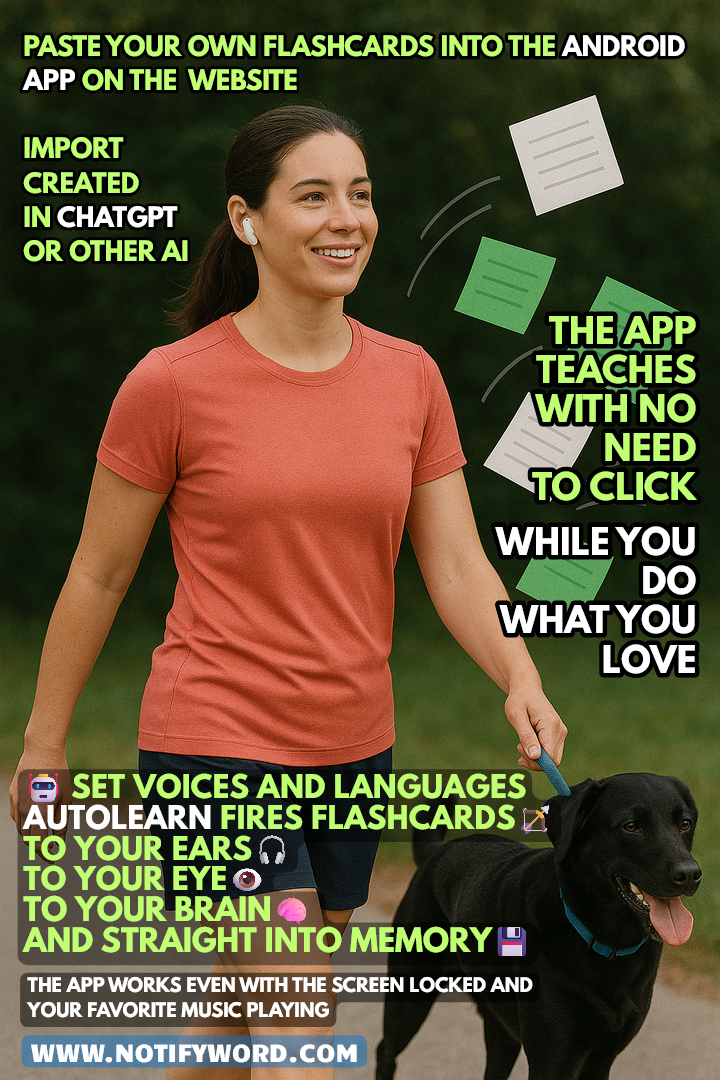
    👉 AUTOLEARN – passive mode – works without touching your phone, firing flashcards straight to your ears 🎧, eyes 👁️, brain 🧠, and memory 💾.
    👉 Quizzes – active mode – require interaction.
    👉 Interactive Flashcards – multiple browsing options, mark favorites or learned items, use Google Translator, text-to-speech (TTS), and choose languages and voices for the front and back of your cards.

    🔎 Legend:

    🧠 Active Learning – flashcards ideal for quizzes, tests, and recall practice. They help strengthen memory, associations, and answer formulation.

    🎧 Passive Learning – flashcards for listening and quick viewing. The app reads them aloud and displays them automatically. Perfect for immersing yourself in a language and reinforcing knowledge without active effort.

    📲 You’ll find the link to the mobile app NotifyWord at 👉 NotifyWord.com

    💡 Flashcards are small cards (physical or digital) used for learning and memorization. One side usually contains a question, word, or concept, and the other side holds the answer, definition, or translation. They’re widely used for learning foreign languages, terminology, historical dates, and other knowledge that requires memorization. Flashcards are popular because they enable effective, repeatable learning and easy self-testing.

  • German learning on the go: travel, train, car -mobile app with your own hands-free flashcards to listen 🎧

    German learning on the go: travel, train, car -mobile app with your own hands-free flashcards to listen 🎧

    No time to learn German? What if you could learn without taping, without looking at the phone screen – just by listening to your own flashcards – in the car 🚘, on a bike 🚴, on a train 🚆, while shopping 🛍️, or walking the dog 🐕?

    NotifyWord is a new mobile app flashcards app for language learning in different ways:

    👉 Active and passive German learning without touching your phone.
    👉 Fast and easy import of your own flashcards – directly in the mobile app or via the website.
    👉 Interactive flashcards, quizzes, text-to-speech (TTS), and the option to choose languages and voices for both sides of the cards.
    👉 AUTOLEARN is the passive mode – it works hands-free, shooting flashcards straight into your 🎧 ears, 👁️ eyes, 🧠 brain, and 💾 memory.
    👉 Quizzes are the active mode – they require your interaction.
    👉 AUTOLEARN works even with the screen locked 📱 and can read flashcards in multiple ways.
    👉 🎧📚 AudioFocus lets you listen to flashcards and music at the same time – the app automatically 🔉 lowers the music when reading a flashcard 🗣️ and then brings it back 🔊.
    👉 Various playback modes in AUTOLEARN: front–back, back–front, random, only flashcards to learn (not yet memorized), in one or two languages.
    👉 Set any time interval between flashcards (e.g., 10, 20, or 45 seconds) to give yourself 🧠💡 enough time to repeat in your head or out loud and strengthen retention.


    You can use artificial intelligence to quickly create and generate your own flashcards for learning German.

    You no longer need to copy words or phrases manually. All you have to do is type a command/prompt in ChatGPT, for example:
    “Create 30 flashcards with the most important irregular verbs in German
    front ” – ” back.
    Do not use any other additional characters.
    Back of the flashcard: English meaning, front: German forms”,
    and the AI will immediately generate a ready-to-use set.

    📌 Here you can find instructions and sample prompts:
    👉 chatgpt-creating-interactive-flashcards-for-learning-german-in-mobile app-flashcard-app-sample-prompts
    📌 Here you can find instructions for generating flashcards in ChatGPT from images, text, and notes:
    👉 language-learning-generating-flashcards-from-images-text-notes-for-mobile app-notifyword-app-in-chatgpt

    *Flashcards are small paper or digital cards used for learning and memorizing information. One side of a flashcard typically contains a question, word, or concept, and the other side provides the answer, definition, or translation. They are often used for learning foreign languages, technical terms, historical dates, and other information that requires memorization. Flashcards are popular because they allow for effective, repetitive learning and self-testing.

    Learn German when car driving mobile app Flashcards App
  • Spanish learning on the go: car, train, travel – mobile app with your own flashcards to listen 🎧

    Spanish learning on the go: car, train, travel – mobile app with your own flashcards to listen 🎧

    No time to learn Spanish? What if you could learn without clicking, without looking at the screen – just by listening to your own flashcards – in the car 🚘, on a bike 🚴, on a train 🚆, while shopping 🛍️, or walking the dog 🐕?

    NotifyWord is a new mobile app flashcards app for language learning in different ways:

    👉 Active and passive learning without touching your phone.
    👉 Fast and easy import of your own flashcards – directly in the mobile app or via the website.
    👉 Interactive flashcards, quizzes, text-to-speech (TTS), and the option to choose languages and voices for both sides of the cards.
    👉 AUTOLEARN is the passive mode – it works hands-free, shooting flashcards straight into your 🎧 ears, 👁️ eyes, 🧠 brain, and 💾 memory.
    👉 Quizzes are the active mode – they require your interaction.
    👉 AUTOLEARN works even with the screen locked 📱 and can read flashcards in multiple ways.
    👉 🎧📚 AudioFocus lets you listen to flashcards and music at the same time – the app automatically 🔉 lowers the music when reading a flashcard 🗣️ and then brings it back 🔊.
    👉 Various playback modes in AUTOLEARN: front–back, back–front, random, only flashcards to learn (not yet memorized), in one or two languages.
    👉 Set any time interval between flashcards (e.g., 10, 20, or 45 seconds) to give yourself 🧠💡 enough time to repeat in your head or out loud and strengthen retention.


    You can use artificial intelligence to quickly create and generate your own flashcards for learning Spanish.

    You no longer need to manually copy words or phrases. Just type a command into ChatGPT, for example: “Create 30 flashcards with the most important irregular verbs in Spanish”, and the AI will instantly generate a ready-to-use set.

    📌 Here you can find instructions and sample prompts:
    👉 chatgpt-creating-interactive-flashcards-for-learning-spanish-in-mobile app-flashcard-app-sample-prompts
    📌 Here you can find instructions for generating flashcards in ChatGPT from images, text, and notes:
    👉 language-learning-generating-flashcards-from-images-text-notes-for-mobile app-notifyword-app-in-chatgpt

    *Flashcards are small paper or digital cards used for learning and memorizing information. One side of a flashcard typically contains a question, word, or concept, and the other side provides the answer, definition, or translation. They are often used for learning foreign languages, technical terms, historical dates, and other information that requires memorization. Flashcards are popular because they allow for effective, repetitive learning and self-testing.

    Learn English when car driving mobile app Flashcards App
  • English on the go: car, train, travel – mobile app with your own flashcards to listen to 🎧

    English on the go: car, train, travel – mobile app with your own flashcards to listen to 🎧

    No time to study languages? What if you could learn without clicking, without looking at the screen – just by listening to your own flashcards – in the car 🚘, on a bike 🚴, on a train 🚆, while shopping 🛍️, or walking the dog 🐕?

    NotifyWord is a new mobile app for language learning in many different ways:

    👉 Active and passive learning without touching your phone.
    👉 Fast and easy import of your own flashcards – directly in the mobile app or via the website.
    👉 Interactive flashcards, quizzes, text-to-speech (TTS), and the option to choose languages and voices for both sides of the cards.
    👉 AUTOLEARN is the passive mode – it works hands-free, shooting flashcards straight into your 🎧 ears, 👁️ eyes, 🧠 brain, and 💾 memory.
    👉 Quizzes are the active mode – they require your interaction.
    👉 AUTOLEARN works even with the screen locked 📱 and can read flashcards in multiple ways.
    👉 🎧📚 AudioFocus lets you listen to flashcards and music at the same time – the app automatically 🔉 lowers the music when reading a flashcard 🗣️ and then brings it back 🔊.
    👉 Various playback modes in AUTOLEARN: front–back, back–front, random, only flashcards to learn (not yet memorized), in one or two languages.
    👉 Set any time interval between flashcards (e.g., 10, 20, or 45 seconds) to give yourself 🧠💡 enough time to repeat in your head or out loud and strengthen retention.


    You can use artificial intelligence to quickly create and generate your own flashcards for learning English.

    You no longer need to manually copy words or phrases. Just type a command into ChatGPT, for example: “Create 30 flashcards with the most important irregular verbs in English”, and the AI will instantly generate a ready-to-use set.

    📌 Here you can find instructions and sample prompts:
    👉 chatgpt-creating-interactive-flashcards-for-learning-english-in-mobile app-flashcard-app-sample-prompts
    📌 Here you can find instructions for generating flashcards in ChatGPT from images, text, and notes:
    👉 language-learning-generating-flashcards-from-images-text-notes-for-mobile app-notifyword-app-in-chatgpt

    *Flashcards are small paper or digital cards used for learning and memorizing information. One side of a flashcard typically contains a question, word, or concept, and the other side provides the answer, definition, or translation. They are often used for learning foreign languages, technical terms, historical dates, and other information that requires memorization. Flashcards are popular because they allow for effective, repetitive learning and self-testing.

    Learn English when car driving mobile app Flashcards App
  • Learning foreign languages – generating flashcards for language learning in various ways, from photos, images, and text, for the mobile app NotifyWord in ChatGPT.

    Learning foreign languages – generating flashcards for language learning in various ways, from photos, images, and text, for the mobile app NotifyWord in ChatGPT.

    Instruction on how to create flashcards for the mobile app NotifyWord in ChatGPT from a photo, image, or text 👇

    Do you want to quickly create flashcards for learning in the NotifyWord app? With the help of ChatGPT, you can turn a photo of vocabulary, phrases with translations, notes, or text into a ready-to-use set of flashcards in the correct format within minutes.


    Step 1: Take a photo

    Take a photo of a list of words, phrases with translations, a textbook fragment, or notes that you want to turn into flashcards.

    Step 2: Upload the photo to ChatGPT

    Upload the photo to ChatGPT and type this exact command:

    Generate flashcards for learning [language/topic] in the format: front " - " back.
    Do not use any other additional characters.

    Step 3: Check the generated flashcards

    ChatGPT will create a list of flashcards in the correct format. Make sure it looks right, for example:

    perro - dog
    gato - cat
    casa - house

    Step 4: Copy the flashcards

    Select and copy the list of flashcards from ChatGPT’s response.

    Step 5: Import into NotifyWord

    Go to the Import section — on the website (to save and later download the flashcards to the app on your phone) or directly in the mobile app — and paste the copied flashcards there.

    Step 6: Click import and you’re done!

    Your flashcards are now saved in NotifyWord. You can start using quizzes, interactive flashcards, and Autolearn — passive learning.


    Tip: You can reuse the command as many times as you like, only changing [language/topic]. Remember, the flashcards should be written without additional quotation marks — exactly as in the example above.

    Sample ChatGPT commands for creating thematic flashcards at different proficiency levels, covering the most popular languages (including English, Spanish, German, French, Japanese, Swedish, Italian, and Korean), can be found directly on the NotifyWord app website.

    After importing flashcards into the mobile app NotifyWord app, you can study in various ways.

    👉 AUTOLEARN – passive mode – works without touching your phone, firing flashcards straight to your ears 🎧, eyes 👁️, brain 🧠, and memory 💾.
    👉 Quizzes – active mode – require interaction.
    👉 Interactive Flashcards – multiple browsing options, mark favorites or learned items, use Google Translator, text-to-speech (TTS), and choose languages and voices for the front and back of your cards.

    🧠 Active Learning – flashcards ideal for quizzes, tests, and recall practice. They help strengthen memory, associations, and answer formulation.

    🎧 Passive Learning – flashcards for listening and quick viewing. The app reads them aloud and displays them automatically. Perfect for immersing yourself in a language and reinforcing knowledge without active effort.

    📲 You’ll find the link to the mobile app NotifyWord at 👉 NotifyWord.com

    * Flashcards are small cards (physical or digital) used for learning and memorization. One side usually contains a question, word, or concept, and the other side holds the answer, definition, or translation. They’re widely used for learning foreign languages, terminology, historical dates, and other knowledge that requires memorization. Flashcards are popular because they enable effective, repeatable learning and easy self-testing.

    Learn French mobile app Flashcards App
    Language learning with artificial intelligence and a flashcard mobile app.
  • French learning in different ways – active and passive French learning, mobile app & ChatGPT.👇👇

    French learning in different ways – active and passive French learning, mobile app & ChatGPT.👇👇

    Examples of flashcard topics for learning French and sample prompts for ChatGPT.

    🧠🎧 Vocabulary and Translations
    Prompt:
    Generate 30 flashcards in the format: French ” – ” English
    Topic: Basic vocabulary and their translations
    Level: A1
    Do not use any other additional characters


    🧠🎧 Daily Phrases and Short Dialogues
    Prompt:
    Generate 25 flashcards in the format: French ” – ” English
    Topic: Daily phrases and short dialogues
    Level: A2
    Do not use any other additional characters


    🧠 Grammar (tenses, structures, moods, full sentences)
    Prompt:
    Generate 20 flashcards in the format: French ” – ” English
    Topic: Example sentences in passé composé
    Level: B1
    Do not use any other additional characters


    🧠 Grammar – Fill-in-the-blank Sentences (missing word on the back)
    Prompt:
    Generate 20 flashcards in the format:
    French (sentence with a blank “___”) ” – ” missing word in French
    Topic: Verb être in imparfait tense
    Level: A2
    Do not use any other additional characters

    Example format:
    Quand j’___ petit, je jouais au parc. ” – ” étais
    Nous ___ à la maison hier soir. – étions


    🧠 Irregular Verbs
    Prompt:
    Generate 30 flashcards in the format: French ” – ” English
    Topic: Conjugation and use of irregular verbs (être, avoir, aller, faire) in example sentences
    Level: A2
    Do not use any other additional characters


    🧠 Prepositions and Fixed Phrases
    Prompt:
    Generate 25 flashcards in the format: French ” – ” English
    Topic: Prepositions and fixed phrases (e.g., à la maison, en ville, avec des amis)
    Level: A2
    Do not use any other additional characters


    🧠 Idioms and Collocations
    Prompt:
    Generate 20 flashcards in the format: French ” – ” English
    Topic: Common idioms and collocations used in everyday speech
    Level: B2
    Do not use any other additional characters


    🧠🎧 Questions and Answers
    Prompt:
    Generate 20 flashcards in the format: French ” – ” English
    Topic: Questions and answers in French (everyday situations)
    Level: A1
    Do not use any other additional characters


    🎧 Specialized Vocabulary and Phrases
    Prompt:
    Generate 25 flashcards in the format: French ” – ” English
    Topic: Medical vocabulary and phrases
    Level: B1
    Do not use any other additional characters


    🎧 Examples in Sentences
    Prompt:
    Generate 20 flashcards in the format: French ” – ” English
    Topic: Examples of the word travailler in different contexts
    Level: B1
    Do not use any other additional characters


    🧠 Synonyms and Antonyms
    Prompt:
    Generate 20 flashcards in the format: French ” – ” English
    Topic: Synonyms and antonyms (e.g., rapide ↔ lent, heureux ↔ triste)
    Level: B1
    Do not use any other additional characters


    🧠🎧 Thematic Sets by Level
    Prompt:
    Generate 25 flashcards in the format: French ” – ” English
    Topic: “Shopping” – vocabulary and phrases
    Level: A1
    Do not use any other additional characters


    How to Create Your Own Flashcards Using Artificial Intelligence – Using ChatGPT as an Example, from YouTube Videos, Documents, Photos, and Notes. 👇👇👇👇👇👇

    https://blog.notifyword.com/blog/2025/12/30/chatgpt-flashcards-from-videos-images-notes-for-active-and-passive-learning-in-mobile app/

    After importing flashcards into the mobile app NotifyWord, you can learn French in different ways:

    👉 AUTOLEARN – passive mode – works without touching your phone, firing flashcards straight to your ears 🎧, eyes 👁️, brain 🧠, and memory 💾.
    👉 Quizzes – active mode – require interaction.
    👉 Interactive Flashcards – multiple browsing options, mark favorites or learned items, use Google Translator, text-to-speech (TTS), and choose languages and voices for the front and back of your cards.

    🔎 Legend:

    🧠 Active Learning – flashcards ideal for quizzes, tests, and recall practice. They help strengthen memory, associations, and answer formulation.

    🎧 Passive Learning – flashcards for listening and quick viewing. The app reads them aloud and displays them automatically. Perfect for immersing yourself in a language and reinforcing knowledge without active effort.

    📲 You’ll find the link to the mobile app NotifyWord at 👉 NotifyWord.com

    💡 Flashcards are small cards (physical or digital) used for learning and memorization. One side usually contains a question, word, or concept, and the other side holds the answer, definition, or translation. They’re widely used for learning foreign languages, terminology, historical dates, and other knowledge that requires memorization. Flashcards are popular because they enable effective, repeatable learning and easy self-testing.

    Learn French mobile app Flashcards App

  • Japanese learning in different ways – active and passive Japanese learning, mobile app & ChatGPT.👇👇

    Japanese learning in different ways – active and passive Japanese learning, mobile app & ChatGPT.👇👇

    Examples of flashcard topics for learning Japanese and sample prompts for ChatGPT.

    🧠🎧 Vocabulary and Translations

    Prompt:
    Generate 30 flashcards in the format: Japanese (hiragana/kanji) ” – ” English
    Topic: basic words and their translations
    Level: A1
    Do not use any other additional characters


    🧠🎧 Everyday Phrases and Short Dialogues

    Prompt:
    Generate 25 flashcards in the format: Japanese (hiragana/kanji) ” – ” English
    Topic: everyday phrases and short dialogues
    Level: A2
    Do not use any other additional characters


    🧠 Grammar (tenses, structures, moods, full sentences)

    Prompt:
    Generate 20 flashcards in the format: Japanese ” – ” English
    Topic: sample sentences using the form 〜ている (continuous action)
    Level: B1
    Do not use any other additional characters


    🧠 Grammar – Gap-Fill Sentences (missing word on the back)

    Prompt:
    Generate 20 flashcards in the format:
    Japanese (sentence with a blank “___”) ” – ” missing word in Japanese (hiragana/kanji)
    Topic: verbs ある / いる in sentences describing the existence of things/people
    Level: A2
    Do not use any other additional characters

    Example format:
    部屋に猫が___. – いる
    机の上に本が___. – ある


    🧠 Irregular Verbs

    Prompt:
    Generate 30 flashcards in the format: Japanese ” – ” English
    Topic: conjugation and use of irregular verbs (する, 来る, 行く) in sample sentences
    Level: A2
    Do not use any other additional characters


    🧠 Prepositions and Common Phrases

    Prompt:
    Generate 25 flashcards in the format: Japanese ” – ” English
    Topic: prepositions and common expressions (e.g., 学校で、友達と、一緒に)
    Level: A2
    Do not use any other additional characters


    🧠 Idioms and Collocations

    Prompt:
    Generate 20 flashcards in the format: Japanese ” – ” English
    Topic: common idioms and collocations in Japanese
    Level: B2
    Do not use any other additional characters


    🧠🎧 Questions and Answers

    Prompt:
    Generate 20 flashcards in the format: Japanese ” – ” Japanese
    Topic: questions and sample answers for everyday situations
    Level: A1
    Do not use any other additional characters

    Example format:
    お名前は何ですか。 – 田中です。
    どこに住んでいますか。 – 東京に住んでいます。


    🎧 Specialized Vocabulary and Phrases

    Prompt:
    Generate 25 flashcards in the format: Japanese ” – ” English
    Topic: medical vocabulary and phrases
    Level: B1
    Do not use any other additional characters


    🎧 Example Sentences

    Prompt:
    Generate 20 flashcards in the format: Japanese ” – ” English
    Topic: examples of how the verb 「働く」 is used in different contexts
    Level: B1
    Do not use any other additional characters


    🧠 Synonyms and Antonyms

    Prompt:
    Generate 20 flashcards in the format: Japanese ” – ” English
    Topic: synonyms and antonyms (e.g., 速い ↔ 遅い、嬉しい ↔ 悲しい)
    Level: B1
    Do not use any other additional characters


    🧠🎧 Thematic Sets by Level

    Prompt:
    Generate 25 flashcards in the format: Japanese ” – ” English
    Topic: 「買い物」(shopping) – vocabulary and phrases
    Level: A1
    Do not use any other additional characters


    How to Create Your Own Flashcards Using Artificial Intelligence – Using ChatGPT as an Example, from YouTube Videos, Documents, Photos, and Notes. 👇👇👇👇👇👇

    https://blog.notifyword.com/blog/2025/12/30/chatgpt-flashcards-from-videos-images-notes-for-active-and-passive-learning-in-mobile app/

    After importing flashcards into the mobile app NotifyWord, you can learn Japanese in different ways:

    👉 AUTOLEARN – passive mode – works without touching your phone, firing flashcards straight to your ears 🎧, eyes 👁️, brain 🧠, and memory 💾.
    👉 Quizzes – active mode – require interaction.
    👉 Interactive Flashcards – multiple browsing options, mark favorites or learned items, use Google Translator, text-to-speech (TTS), and choose languages and voices for the front and back of your cards.

    🔎 Legend:

    🧠 Active Learning – flashcards ideal for quizzes, tests, and recall practice. They help strengthen memory, associations, and answer formulation.

    🎧 Passive Learning – flashcards for listening and quick viewing. The app reads them aloud and displays them automatically. Perfect for immersing yourself in a language and reinforcing knowledge without active effort.

    📲 You’ll find the link to the mobile app NotifyWord at 👉 NotifyWord.com

    💡 Flashcards are small cards (physical or digital) used for learning and memorization. One side usually contains a question, word, or concept, and the other side holds the answer, definition, or translation. They’re widely used for learning foreign languages, terminology, historical dates, and other knowledge that requires memorization. Flashcards are popular because they enable effective, repeatable learning and easy self-testing.

    Learn Japanese mobile app Flashcards App
  • Korean learning in different ways – active and passive Korean learning, mobile app & ChatGPT.👇👇

    Korean learning in different ways – active and passive Korean learning, mobile app & ChatGPT.👇👇

    Examples of flashcard topics for learning Korean and sample prompts for ChatGPT.

    🧠🎧 Vocabulary and Translations

    Prompt:
    Generate 30 flashcards in the format: Korean ” – ” English
    Topic: basic words and their translations
    Level: A1
    Do not use any other additional characters


    🧠🎧 Everyday Phrases and Short Dialogues

    Prompt:
    Generate 25 flashcards in the format: Korean ” – ” English
    Topic: everyday phrases and short dialogues
    Level: A2
    Do not use any other additional characters


    🧠 Grammar (tenses, structures, moods, full sentences)

    Prompt:
    Generate 20 flashcards in the format: Korean ” – ” English
    Topic: sample sentences in the past tense
    Level: B1
    Do not use any other additional characters


    🧠 Grammar – Gap-Fill Sentences (missing word on the back)

    Prompt:
    Generate 20 flashcards in the format:
    Korean (sentence with a blank “___”) ” – ” missing word in Korean
    Topic: the verb 하다 (“to do”) in different tenses
    Level: A2
    Do not use any other additional characters

    Example format:
    어제 숙제를 ___. – 했다
    저는 매일 운동을 ___. – 합니다


    🧠 Irregular Verbs

    Prompt:
    Generate 30 flashcards in the format: Korean ” – ” English
    Topic: conjugation and use of irregular verbs (돕다, 듣다, 걷다, 만들다) in sample sentences
    Level: A2
    Do not use any other additional characters


    🧠 Prepositions and Ready-Made Phrases

    Prompt:
    Generate 25 flashcards in the format: Korean ” – ” English
    Topic: prepositions and fixed expressions (e.g., 집에, 학교에서, 친구와 같이)
    Level: A2
    Do not use any other additional characters


    🧠 Idioms and Collocations

    Prompt:
    Generate 20 flashcards in the format: Korean ” – ” English
    Topic: idioms and collocations used in everyday speech
    Level: B2
    Do not use any other additional characters


    🧠🎧 Questions and Answers

    Prompt:
    Generate 20 flashcards in the format: Korean ” – ” English
    Topic: questions and answers in Korean (everyday situations)
    Level: A1
    Do not use any other additional characters


    🎧 Specialized Vocabulary and Phrases

    Prompt:
    Generate 25 flashcards in the format: Korean ” – ” English
    Topic: travel-related vocabulary and phrases
    Level: A2
    Do not use any other additional characters


    🎧 Example Sentences

    Prompt:
    Generate 20 flashcards in the format: Korean ” – ” English
    Topic: examples of how the verb 먹다 (“to eat”) is used in different contexts
    Level: A1
    Do not use any other additional characters


    🧠 Synonyms and Antonyms

    Prompt:
    Generate 20 flashcards in the format: Korean ” – ” English
    Topic: synonyms and antonyms (e.g., 빠르다 ↔ 느리다, 행복하다 ↔ 슬프다)
    Level: B1
    Do not use any other additional characters


    🧠🎧 Thematic Sets by Level

    Prompt:
    Generate 25 flashcards in the format: Korean ” – ” English
    Topic: “Shopping” – vocabulary and phrases
    Level: A1
    Do not use any other additional characters


    How to Create Your Own Flashcards Using Artificial Intelligence – Using ChatGPT as an Example, from YouTube Videos, Documents, Photos, and Notes. 👇👇👇👇👇👇

    https://blog.notifyword.com/blog/2025/12/30/chatgpt-flashcards-from-videos-images-notes-for-active-and-passive-learning-in-mobile app/

    After importing flashcards into the mobile app NotifyWord, you can learn Korean in different ways:

    👉 AUTOLEARN – passive mode – works without touching your phone, firing flashcards straight to your ears 🎧, eyes 👁️, brain 🧠, and memory 💾.
    👉 Quizzes – active mode – require interaction.
    👉 Interactive Flashcards – multiple browsing options, mark favorites or learned items, use Google Translator, text-to-speech (TTS), and choose languages and voices for the front and back of your cards.

    🔎 Legend:

    🧠 Active Learning – flashcards ideal for quizzes, tests, and recall practice. They help strengthen memory, associations, and answer formulation.

    🎧 Passive Learning – flashcards for listening and quick viewing. The app reads them aloud and displays them automatically. Perfect for immersing yourself in a language and reinforcing knowledge without active effort.

    📲 You’ll find the link to the mobile app NotifyWord at 👉 NotifyWord.com

    💡 Flashcards are small cards (physical or digital) used for learning and memorization. One side usually contains a question, word, or concept, and the other side holds the answer, definition, or translation. They’re widely used for learning foreign languages, terminology, historical dates, and other knowledge that requires memorization. Flashcards are popular because they enable effective, repeatable learning and easy self-testing.

    Learn Korean  mobile app Flashcards App